

Website Design and Development combines strategy, user experience, responsive design, performance, SEO, security, and reliable technology to create websites that deliver value for users and support long-term business growth.
A modern website is much more than a digital brochure. For many organizations, it is the primary place where potential customers discover services, evaluate credibility, compare solutions, read educational content, submit inquiries, make purchases, or begin a relationship with a brand. Because of this, Website Design and Development should be treated as a strategic business investment rather than a simple visual project.
A successful website must bring several disciplines together. Visual design creates a professional and consistent interface. User experience makes information easier to find and actions easier to complete. Development transforms layouts into functional pages and applications. Technical SEO helps search engines discover and understand content. Performance optimization reduces unnecessary delays. Security protects the website and its users. Accessibility helps people with different abilities interact with the website effectively.
The most effective websites begin with clear objectives. Before choosing a theme, framework, color palette, or hosting environment, businesses should understand who the website serves and what those visitors need. A lead-generation website may require persuasive service pages and simple forms. An e-commerce website needs product discovery, checkout, payments, and order management. A professional information website may need strong educational content and clear contact paths.
Google’s official documentation recommends building useful, accessible websites while meeting its technical requirements and spam policies. Website owners should focus on providing value to people instead of creating pages primarily for manipulating search rankings. Google Search Essentials
This guide explains the complete website development process, including strategy, information architecture, UX design, responsive development, technology selection, SEO, performance, accessibility, security, testing, maintenance, conversion optimization, and long-term improvement.
Website Design and Development refers to the complete process of planning, designing, building, testing, launching, and maintaining a website. Although design and development are often mentioned together, they involve different responsibilities. Website design focuses on how the website looks and how users interact with it, while development focuses on creating the technical functionality that makes the experience work.
Website design includes elements such as page layouts, navigation, typography, colors, images, buttons, forms, spacing, responsive behavior, and interaction patterns. Designers may use wireframes and prototypes to determine how information should be organized before developers begin implementation. A good design is not simply attractive. It should make the website easier to understand and help users complete important tasks.
Website development converts those design decisions into functioning web experiences. Front-end developers work on browser-facing interfaces using technologies such as HTML, CSS, and JavaScript. Back-end development can manage databases, authentication, APIs, business logic, payments, user accounts, and other server-side operations. The required technology depends on the complexity and purpose of the website.
A strong project connects design and development from the beginning. If design ignores technical requirements, development can become unnecessarily complex. If development begins without understanding users, the result may be technically functional but difficult to navigate. Effective website development therefore combines strategy, design, content, usability, engineering, SEO, accessibility, performance, and security into one coordinated process.
Strategic planning establishes the foundation for the entire website project. Without a clear strategy, teams can spend significant amounts of time creating pages and functionality that do not contribute to meaningful business objectives. Before development begins, define what the website needs to accomplish and how success will be measured.
Website goals can vary considerably. A business may want to generate qualified leads, sell products, increase bookings, provide customer support, publish educational resources, build brand awareness, or create a self-service platform. Several objectives can exist at the same time, but priorities should be clear enough to guide design and development decisions.
Audience research is another important part of planning. Visitors have different needs depending on their knowledge, expectations, location, industry, and position in the buying journey. A software company may need technical documentation and integration information, while a professional service provider may need clear service explanations, trust signals, pricing guidance, and a straightforward contact process.
Competitor research can reveal useful patterns without encouraging imitation. Examine how other websites structure their services, explain benefits, organize navigation, answer questions, present evidence, and guide visitors toward action. The objective is to identify opportunities to make information more useful and the experience clearer.
A practical project plan should document business goals, target audiences, page requirements, content needs, technical functionality, integrations, SEO requirements, accessibility expectations, security considerations, analytics, responsibilities, timelines, and launch criteria. This planning process can reduce scope creep and provide a clear reference throughout development.
Website architecture defines how pages, content, categories, and functionality are organized. A strong structure makes it easier for visitors to understand the website and move between related areas. It also provides developers and content teams with a framework for creating and maintaining the site.
A sitemap is a useful planning tool because it shows the relationship between pages. A simple website might contain Home, About, Services, Resources, and Contact pages. A larger website may require service categories, product categories, articles, documentation, account areas, search functionality, or other levels of organization.
Navigation labels should be clear and predictable. Users should not have to interpret unfamiliar terminology simply to understand where a menu item leads. Internal links can connect related pages and help visitors discover supporting information. Breadcrumb navigation can also be useful on websites with multiple content levels.
URLs should be descriptive and understandable. A visitor should be able to get a general idea of a page’s purpose from its address. Search engines also benefit from a clear and logical website structure because it helps them discover relationships between pages.
Google provides guidance through its Search Essentials documentation covering technical requirements, spam policies, and key practices that can help websites appear in Google Search. Search Essentials
Good information architecture ultimately reduces friction. Important information should not be hidden behind unnecessary layers, while secondary information can remain available through contextual links and supporting navigation.
User experience design focuses on whether visitors can understand and use a website effectively. A good user experience provides clear navigation, readable information, predictable interactions, visible controls, and useful feedback. Users should quickly understand where they are, what the website offers, and what they can do next.
Page design should reflect visitor intent. Someone arriving through an informational search may first need an explanation of a problem. A visitor on a service page may already understand the problem and want pricing, evidence, process details, or a way to request assistance. Different page types should therefore serve different purposes.
Calls to action should clearly communicate the next step. Examples include Request a Quote, Book a Consultation, View Services, Start a Trial, Contact the Team, or Get Started. The CTA should match the visitor’s context rather than appearing as an unrelated promotional element.
Forms are particularly important because they often connect interest with conversion. A form should request information that is genuinely needed. Labels should be clear, validation should explain errors, and users should receive confirmation after successful submission.
Accessibility should be included in UX planning rather than added at the end. The Web Content Accessibility Guidelines (WCAG) provide recommendations for making web content accessible to people with disabilities. Web Content Accessibility Guidelines
A conversion-focused website does not mean forcing visitors toward an action. It means removing unnecessary friction so people can confidently take an appropriate next step.
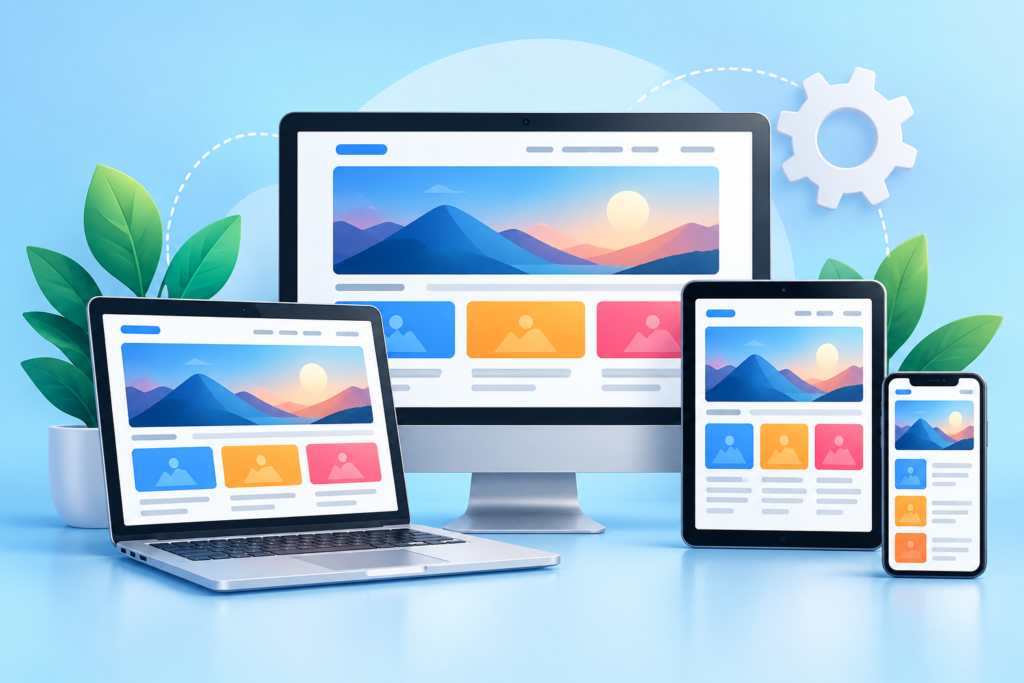
Responsive web design allows websites to adapt to different screen sizes and interaction environments. Visitors can access the same website using desktops, laptops, tablets, smartphones, and other devices. A design that works well on a large monitor can become difficult to use when displayed on a narrow mobile screen.
Responsive development should therefore be considered from the beginning. Flexible grids, scalable typography, adaptable images, responsive spacing, and component-based layouts can allow a website to adjust naturally. Developers should avoid relying exclusively on fixed-width designs.
Mobile usability involves more than reducing the size of desktop content. Navigation may need to change, columns may need to stack, buttons may require larger touch areas, and complex interfaces may need simplified interactions. Important content should remain easy to access without requiring unnecessary zooming or horizontal scrolling.
Responsive design also connects closely with performance. Mobile users may have slower network connections or less powerful devices. Large images, unnecessary scripts, excessive animations, and poorly optimized third-party resources can increase loading time.
Google’s page experience documentation discusses factors that can contribute to a useful web experience, including Core Web Vitals, secure connections, mobile presentation, and avoiding intrusive elements. Page Experience
A responsive website should therefore be designed as an adaptable system rather than a desktop page that is simply compressed for mobile devices.
Visual design determines how users perceive and navigate the website. However, good visual design involves much more than choosing attractive colors and images. A professional website needs a consistent visual system covering typography, spacing, buttons, cards, forms, icons, navigation, imagery, and other interface elements.
Typography has a significant impact on readability. Font selection should consider size, weight, line height, character shapes, contrast, and the amount of text displayed. Headings should establish hierarchy so users can scan the page and understand the relationship between sections.
Color should support communication. Brand colors can establish identity, while secondary colors can distinguish different interface states or content areas. Text and interactive controls should have sufficient contrast. Images should reinforce the message rather than simply filling empty spaces.
A design system can improve consistency and efficiency. Instead of creating every button or card from scratch, teams can define reusable components with consistent styles and states. This makes future updates easier and reduces visual inconsistencies.
Accessibility should influence visual design decisions from the beginning. WCAG covers areas including text alternatives, keyboard accessibility, contrast, understandable content, and compatibility with assistive technologies. WCAG Overview
The goal is a visual system that looks professional while helping users understand information quickly and interact with the website confidently.
The best technology for a website depends on its requirements. A small business website may benefit from a content management system that allows staff to update pages without developer assistance. A complex web application may require custom front-end and back-end technologies, databases, APIs, authentication systems, and specialized infrastructure.
Content management systems can simplify publishing and routine administration. However, platform selection should consider security, performance, customization, editor experience, maintenance requirements, hosting, integrations, and long-term ownership.
Custom development can provide greater control when a website requires specialized functionality. It can be appropriate for advanced dashboards, unique workflows, membership platforms, large-scale applications, complex integrations, and systems that cannot be efficiently created with standard tools.
Technology decisions should also consider future growth. Ask whether the chosen platform can support additional users, pages, products, content, integrations, languages, or transactions. Consider who will maintain the system after launch and whether the organization has the necessary expertise.
Technology should serve the project rather than determine the project. Selecting a framework simply because it is popular does not guarantee a better website. A suitable technology stack should be secure, maintainable, documented, testable, appropriately scalable, and aligned with the project’s actual needs.
Front-end development creates the interface visitors interact with in their browsers. It commonly uses HTML, CSS, JavaScript, and additional libraries or frameworks where appropriate. The implementation should preserve the intended design while maintaining responsive behavior, accessibility, performance, and clean code structure.
Semantic HTML provides meaningful structure. Headings should communicate hierarchy, navigation should be structured correctly, buttons should perform button actions, and form controls should have useful labels. This creates a stronger foundation for accessibility and maintainability.
Back-end development manages server-side operations when required. These may include databases, authentication, customer accounts, payment processing, bookings, content management, APIs, search, dashboards, and automated workflows.
Security should be considered during development rather than after the website is complete. Server-side validation, access control, secure authentication, safe handling of user input, dependency management, and appropriate data protection are all important parts of responsible development.
Development workflows should also include version control, staging environments, testing, backups, deployment procedures, and documentation. These practices make it easier to identify changes, test functionality, recover from errors, and manage future improvements.
The objective is not simply to produce code that works today. The objective is to create a reliable technical foundation that can be maintained and improved as the website grows.
Search engine optimization should be considered during website planning and development rather than added after every page has already been built. Technical structure, content organization, internal linking, URLs, metadata, page rendering, mobile usability, performance, and accessibility can all influence how effectively search engines discover and understand a website.
A strong SEO foundation begins with useful content. Pages should exist because they serve a real purpose for users, not simply because a keyword has search volume. Each important page should have a clear topic, useful information, an understandable title, and a logical relationship with related pages.
Search-friendly development also requires crawlable links and accessible content. Important pages should not depend entirely on interactions that search engines or assistive technologies cannot reliably process. Developers should ensure that important content is available in the page structure and that technical barriers do not prevent discovery.
Page titles and descriptions should accurately describe the page. Heading structures should help readers understand content hierarchy. Internal links can connect related topics and help visitors move through the website. Structured data can also be useful when it accurately represents eligible content and follows the relevant guidelines.
Google’s documentation provides detailed guidance through SEO Starter Guide resources for website owners and developers. SEO Starter Guide
SEO should therefore be treated as part of the website’s architecture and content strategy rather than as a collection of keywords added after development.
Website performance affects how quickly visitors can access and interact with content. Slow websites can create frustration, particularly when users are browsing on mobile devices or less reliable networks. Performance optimization should therefore be considered throughout design and development.
Images are often one of the largest sources of unnecessary page weight. Use appropriately sized images, modern formats when suitable, responsive image techniques, and compression that maintains acceptable visual quality. Developers should also avoid loading large resources when they are not needed immediately.
JavaScript and CSS should be managed carefully. Unnecessary scripts can increase processing requirements, while inefficient styles can make rendering more complicated. Third-party tools such as analytics, chat widgets, advertising scripts, social embeds, and tracking platforms should be evaluated because every external resource can add additional network and processing work.
Google’s Core Web Vitals provide user-focused measurements related to loading performance, interactivity, and visual stability. Core Web Vitals
Performance optimization is not about chasing a perfect score at any cost. The objective is to create a website that loads important content efficiently, responds reliably to interaction, and remains visually stable. Testing should be performed on representative pages and devices rather than relying on one laboratory measurement.
Caching, efficient hosting, content delivery networks, optimized databases, lazy loading, code splitting, and resource prioritization can also contribute to better performance when implemented appropriately.
Accessibility means designing websites that can be used by people with a wide range of abilities and circumstances. This includes people who use screen readers, keyboard navigation, alternative input devices, magnification tools, captions, or other assistive technologies.
Accessible development begins with semantic structure. Proper headings, labels, landmarks, buttons, links, and form controls give browsers and assistive technologies meaningful information about the interface. Keyboard accessibility is also important because not every user interacts with a website through a mouse or touchscreen.
Images that communicate important information should have appropriate text alternatives. Decorative images can be handled differently so they do not create unnecessary noise for assistive technologies. Videos may need captions or other accessible alternatives depending on their purpose.
Color should not be the only way information is communicated. For example, an error should not be represented solely by a red border without an explanatory message. Interactive elements should provide clear states and feedback.
The current WCAG 2.2 standard provides testable accessibility criteria covering areas such as keyboard operation, focus, text alternatives, contrast, navigation, forms, timing, and compatibility. WCAG 2.2
Inclusive design improves the experience for many users beyond those who explicitly identify as having a disability. Clear navigation, readable text, useful labels, predictable controls, and understandable feedback benefit almost everyone.
Website security should be built into the development process. Security problems can affect user trust, business operations, data protection, search visibility, and regulatory responsibilities. A secure website requires multiple layers rather than a single security feature.
HTTPS is a basic requirement for modern websites because it encrypts communication between users and the website. Authentication systems should use established secure practices, while authorization should ensure that users can access only the resources they are permitted to access.
Input validation is another critical area. User-submitted information should be handled safely on the server. Developers should avoid trusting data simply because it was validated in the browser. Databases, APIs, forms, file uploads, authentication systems, and administrative areas all require appropriate protections.
Software dependencies should also be monitored. Outdated CMS versions, themes, plugins, libraries, frameworks, and server software can create security risks when known vulnerabilities remain unpatched.
The OWASP Top 10 is a widely recognized awareness resource covering important categories of web application security risks. OWASP Top 10
Security also involves operational planning. Maintain reliable backups, restrict administrative access, use strong authentication, monitor important systems, document recovery procedures, and test restoration processes. A backup that has never been tested should not be treated as a guaranteed recovery solution.
Testing is the stage where a website is evaluated before it becomes publicly available. It should cover functionality, responsive behavior, navigation, forms, links, performance, accessibility, browser compatibility, security controls, content accuracy, and tracking.
Functional testing checks whether important features work correctly. Forms should submit properly, buttons should lead to the correct destinations, search should return appropriate results, accounts should behave as expected, and integrations should transfer information correctly.
Responsive testing should cover a representative range of screen sizes and browsers. A website can look correct on one device while suffering from layout problems elsewhere. Testing should therefore include both large and small screens, touch interaction, keyboard navigation, and different browsers where relevant.
Analytics should also be configured before launch. Businesses may need to measure traffic sources, page engagement, conversions, purchases, form submissions, downloads, or other meaningful actions. Tracking should be implemented carefully and should respect applicable privacy requirements.
Before launch, create a checklist covering content approval, metadata, redirects, forms, analytics, backups, security, performance, accessibility, indexing settings, URLs, images, legal pages, and technical configuration.
After launch, monitor the website rather than assuming the project is finished. Real users can reveal issues that did not appear during testing. A successful launch is the beginning of the next phase of website improvement.
Website maintenance keeps the site secure, functional, accurate, and useful after launch. A website should not be treated as a finished product that never changes. Technology evolves, business requirements change, content becomes outdated, and users develop new expectations.
Technical maintenance can include updating software, reviewing dependencies, monitoring security, checking backups, testing forms, resolving broken links, reviewing performance, and verifying integrations. Content maintenance can include updating service descriptions, improving outdated articles, adding new resources, replacing obsolete images, and correcting inaccurate information.
Search performance should also be reviewed regularly. Pages that receive traffic can provide useful information about user interests. Pages that perform poorly may need better content, clearer intent alignment, stronger internal linking, or technical improvements. However, changes should be based on evidence rather than blindly changing pages whenever metrics fluctuate.
Analytics and user feedback can support continuous improvement. If visitors repeatedly abandon a form, investigate why. If users struggle to find important information, review the navigation. If a page loads slowly, identify the largest technical contributors.
A maintenance plan should define what is reviewed, how frequently it is reviewed, who is responsible, and what happens when an issue is discovered. This transforms maintenance from an emergency activity into a predictable operational process.
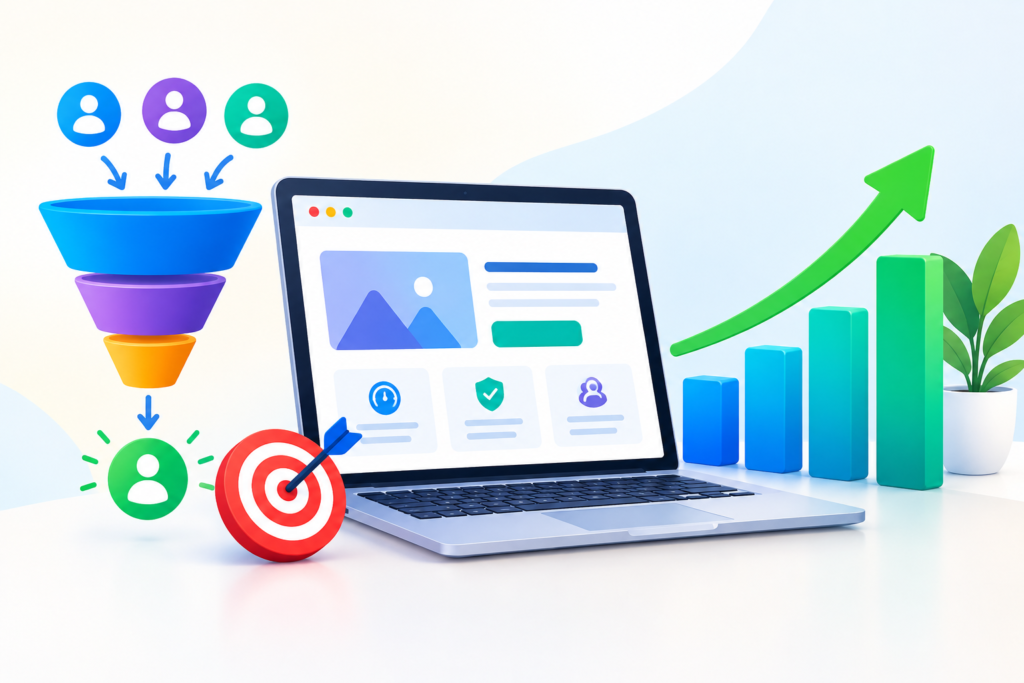
A website should evolve as the business and its audience evolve. Conversion optimization is the process of improving the website so that more suitable visitors can complete valuable actions without unnecessary friction.
Optimization should begin with measurement. Identify meaningful conversion events such as completed purchases, qualified inquiries, consultation requests, registrations, downloads, or bookings. Avoid focusing exclusively on surface-level metrics such as page views if they do not connect to meaningful business outcomes.
Landing pages can be improved by clarifying the value proposition, strengthening supporting evidence, simplifying forms, improving content hierarchy, and removing unnecessary distractions. Trust can also be supported through accurate information, transparent policies, customer evidence where appropriate, clear contact details, and explanations of processes.
Testing should be systematic. If a team changes several major elements at once, it may become difficult to understand what caused an improvement or decline. When practical, test individual hypotheses and compare results over an appropriate period.
Long-term website growth also involves content development. New educational resources can answer customer questions, support search visibility, strengthen topical authority, and provide useful entry points for visitors. Existing pages should also be improved when evidence shows that they can provide greater value.
The objective is not to maximize every metric. It is to create a website that continuously becomes more useful, easier to navigate, faster, safer, more accessible, and better aligned with the needs of its audience and business objectives.
The timeline depends on the size and complexity of the project. A small informational website may require considerably less time than an e-commerce platform, membership website, or custom web application. Content availability, design revisions, integrations, technical requirements, and approval processes can also affect the schedule.
Website development costs vary according to functionality, design complexity, content requirements, technology, integrations, hosting, security, and ongoing maintenance. A simple website and a custom application should not be evaluated using the same cost expectations.
The answer depends on the requirements. WordPress can be useful when a business needs flexible content management and a broad ecosystem of tools. Custom development can be more appropriate when a project requires highly specialized functionality or application architecture. The decision should be based on long-term requirements rather than popularity alone.
Yes. Visitors use many different screen sizes and devices. Responsive design allows the website to adapt to these environments and helps provide a consistent experience. It also supports usability for mobile visitors.
SEO is more effective when considered during planning and development. Website architecture, URLs, content hierarchy, internal links, performance, mobile usability, rendering, and technical accessibility can all be affected by development decisions.
Website speed is important for usability and page experience. Slow pages can create frustration and increase abandonment. Performance should be evaluated using real-world conditions as well as appropriate laboratory and field measurements.
There is no universal schedule for every website. Security updates and critical issues may require immediate attention, while content reviews and broader performance assessments can follow scheduled intervals. Higher-risk or more complex websites generally require more structured maintenance.
Often, yes. The appropriate approach depends on the existing architecture. Some websites can be improved through a design and front-end update, while others have technical limitations that make a deeper rebuild more practical. An audit should be performed before deciding.
One common mistake is starting development before defining what the website should accomplish. Without clear objectives, design and functionality decisions can become inconsistent.
A desktop-first mindset without proper responsive planning can create navigation, spacing, form, and interaction problems on smaller devices.
A visually impressive website can still fail if users cannot understand its content or find important actions. Visual design should support usability rather than compete with it.
Adding tools for every small requirement can create performance, maintenance, compatibility, and security challenges. Each dependency should have a clear purpose.
Accessibility should not be treated as an optional final task. Semantic structure, keyboard navigation, readable content, meaningful labels, and appropriate contrast should be considered during development.
A broken contact form can directly affect business opportunities. Forms should be tested from submission through notification, storage, and follow-up.
Large image files can significantly increase page weight. Images should be appropriately sized and optimized before publication.
Outdated software can expose websites to known vulnerabilities. Updates, backups, access controls, and monitoring should be part of regular maintenance.
Without appropriate measurement, it becomes difficult to understand how visitors use the website or whether improvements are producing meaningful results.
A website requires ongoing monitoring and improvement. Launch should mark the beginning of continuous optimization rather than the end of the project.
A strong Website Design and Development process should follow several principles:
Effective Website Design and Development is a combination of strategy, creativity, engineering, usability, performance, security, accessibility, SEO, and continuous improvement. A website should not be judged only by how it looks when the homepage first loads. Its real quality becomes visible through the complete user experience: how quickly information appears, how easily visitors navigate, how clearly content communicates value, how reliably forms work, how well pages perform on mobile devices, and how securely the system operates.
The development process should therefore begin with understanding the audience and business objectives. From there, teams can create an appropriate architecture, design useful interfaces, select suitable technology, develop accessible components, optimize performance, establish technical SEO foundations, protect the system, and test the complete experience before launch.
After launch, the work continues. Website performance, content quality, search visibility, security, accessibility, and conversion paths should be reviewed over time. Businesses that treat their websites as evolving digital products can respond more effectively to changing customer needs and technical requirements.
A successful website does not need to follow every design trend or include every available feature. It needs to serve real users, communicate clearly, perform reliably, remain secure, and support meaningful business objectives. When these principles guide the process from planning through maintenance, Website Design and Development becomes a long-term asset rather than a one-time project.
For businesses looking to build or improve their digital presence, the most valuable approach is to combine thoughtful strategy with disciplined execution. The result is a website that is not only attractive but also useful, accessible, discoverable, maintainable, and prepared for future growth.
Prompt Text:
You are an expert consultant. Based on the blog post titled “(Website Design and Development)”, provide a step-by-step, practical implementation guide. Include tools, best practices, common mistakes to avoid, and advanced tips. Assume the reader wants to implement everything discussed in this article effectively.
Call to Action:
Want our help implementing this? Just reach out to us via our website contact form: website contact form