Master Google Analytics with this complete guide. Learn setup, tracking, reports, and advanced strategies to improve website performance and boost conversions.
In the modern digital ecosystem, data plays a central role in shaping business success. Companies that rely on assumptions often struggle to grow, while those that leverage analytics consistently outperform their competitors. This is exactly where Google Analytics becomes a critical tool. It transforms raw data into actionable insights, allowing businesses to understand their audience and optimize performance.
Google Analytics is not just a traffic tracking tool. Instead, it is a comprehensive analytics platform that provides detailed insights into user behavior, engagement patterns, and conversion journeys. With this information, businesses can make informed decisions rather than relying on guesswork. As a result, marketing campaigns become more efficient and impactful.
For businesses aiming to establish a strong online presence, analytics is no longer optional. It is a necessity. Platforms like Appledew highlight the importance of using analytics as a foundation for digital success. Without proper tracking, even well-designed websites and campaigns fail to deliver measurable results.
Google Analytics is a web analytics service that collects and analyzes data from your website. It works by placing a small tracking code on your website, which records user interactions. These interactions include page views, clicks, time spent on pages, and user navigation paths.
Once the data is collected, Google Analytics processes it and presents it in detailed reports. These reports are organized into categories such as audience, acquisition, behavior, and conversions. Each category provides insights into different aspects of your website performance.
Furthermore, Google Analytics uses cookies and tracking technologies to identify users and sessions. This allows businesses to understand user behavior over time. Consequently, you can identify trends, measure campaign effectiveness, and improve overall performance with greater accuracy.
Google Analytics offers a wide range of features that provide deep insights into website performance. One of the most useful features is real-time tracking, which allows you to monitor user activity as it happens. This is especially useful during live campaigns or product launches.
Another essential feature is audience segmentation. This allows you to categorize users based on demographics, behavior, and interests. With this information, businesses can create targeted marketing campaigns that resonate with specific audiences.
Additionally, custom reporting enables you to tailor reports based on your business goals. Instead of relying on generic data, you can focus on metrics that matter most. This flexibility makes Google Analytics a powerful tool for businesses of all sizes.
Setting up Google Analytics correctly is the first step toward effective data tracking. The process begins with creating an account and adding a property for your website. Once completed, you receive a unique tracking ID.
Next, you need to install the tracking code on your website. This can be done manually or through tools like Google Tag Manager. After installation, data collection begins immediately. However, proper setup does not end here.
To ensure accurate data, you must configure goals, filters, and event tracking. These settings help eliminate irrelevant data and focus on meaningful insights. Therefore, taking time to set up Google Analytics properly ensures long-term success.
The Google Analytics dashboard may appear complex initially, but it becomes easier to navigate with experience. The interface is designed to provide quick access to important data through various sections such as Reports, Explore, Advertising, and Configure.
The Reports section is the most frequently used area. It includes data related to audience, acquisition, engagement, and conversions. Each report provides valuable insights into how your website is performing.
Moreover, the dashboard allows customization. You can create personalized dashboards that highlight key metrics relevant to your business goals. This ensures that you focus only on the most important data, improving efficiency and decision-making.
Audience reports provide detailed information about your website visitors. These reports include demographic data such as age, gender, and location. They also provide insights into user interests and behavior patterns.
Understanding your audience helps you create personalized experiences. For example, if most users access your site through mobile devices, optimizing your website for mobile becomes essential. This improves user experience and increases engagement.
Additionally, audience reports include retention data. This shows how often users return to your website. High retention rates indicate strong engagement, while low retention suggests areas for improvement. Therefore, these insights are crucial for long-term growth.

Acquisition reports show how users find your website. Traffic is categorized into channels such as organic search, paid search, social media, referrals, and direct visits. This helps you understand which channels are most effective.
By analyzing these channels, you can identify which strategies are delivering the best results. For instance, if organic search generates most of your traffic, investing in SEO becomes a priority.
Furthermore, acquisition reports allow you to track campaign performance. This helps optimize marketing strategies and allocate resources effectively. As a result, businesses can maximize ROI and improve overall efficiency.
Behavior reports focus on how users interact with your website. They provide insights into page views, session duration, bounce rates, and navigation paths. This information helps you understand user engagement.
One important feature is the site content report, which highlights the performance of individual pages. High-performing pages can be used as benchmarks, while low-performing pages can be improved.
Another useful tool is the behavior flow report. It visualizes the user journey, showing how visitors move through your website. This helps identify bottlenecks and improve user experience.
Conversions are the ultimate measure of success. Google Analytics allows you to track important actions such as purchases, form submissions, and sign-ups. These actions are defined as goals.
There are different types of goals, including destination goals, duration goals, and event-based goals. Each type serves a specific purpose depending on your business objectives.
Setting up goals correctly ensures accurate measurement of performance. It also helps evaluate the effectiveness of marketing campaigns. Consequently, businesses can optimize strategies to increase conversions and revenue.
Google Analytics 4 (GA4) is the latest version of the platform. It introduces a new approach to data tracking by focusing on events rather than sessions. This provides a more detailed understanding of user behavior.
GA4 also includes advanced features such as machine learning insights and predictive metrics. These features help identify trends and forecast future performance. As a result, businesses can make proactive decisions.
Additionally, GA4 emphasizes privacy and compliance. It is designed to adapt to changing data regulations while still providing valuable insights. Therefore, adopting GA4 is essential for future-proof analytics strategies.
As digital strategies evolve, basic tracking is no longer sufficient. Businesses now require deeper insights into how users interact with specific elements on their websites. This is where event tracking in Google Analytics becomes essential. Events allow you to measure interactions such as button clicks, video plays, scroll depth, downloads, and more.
In Google Analytics 4, event tracking is more flexible and powerful than ever. Unlike traditional tracking methods, GA4 automatically captures many interactions while also allowing you to create custom events. For example, you can track when users click on a specific call-to-action button or complete a micro-conversion. This level of detail helps you refine both user experience and marketing strategies.
Additionally, parameters enhance event tracking by adding context. They provide extra details such as page location, product name, or user action. This makes your data more meaningful and actionable. As a result, businesses can identify high-performing elements and optimize underperforming areas effectively.
Google Analytics becomes significantly more powerful when integrated with other tools in the Google ecosystem. One of the most important integrations is with Google Ads, which allows you to track campaign performance and measure return on investment accurately.
Another essential integration is with Google Search Console. By linking it with Google Analytics, you can analyze organic search performance, including impressions, clicks, and keyword rankings. This provides a complete picture of how users discover your website through search engines.
For proper setup and integration, refer to the official Google documentation here: Google Analytics
Moreover, integrating Google Tag Manager simplifies tracking implementation. It allows you to manage tags without modifying website code repeatedly. This improves efficiency and reduces errors, making your analytics setup more reliable.
With increasing concerns about user privacy, data protection has become a critical aspect of analytics. Google Analytics 4 is designed to comply with global privacy regulations such as GDPR and CCPA. It focuses on collecting data responsibly while maintaining transparency.
GA4 uses privacy-focused tracking methods, including reduced reliance on cookies. It also offers features like consent mode, which adjusts data collection based on user preferences. This ensures compliance without compromising valuable insights.
To understand Google’s privacy practices, you can review their official policy here: Google Privacy Policy
Ensuring compliance not only protects your business legally but also builds trust with your audience. When users feel their data is secure, they are more likely to engage with your website.
While default reports provide valuable insights, custom reports allow businesses to focus on specific metrics. Google Analytics enables you to create tailored reports that align with your goals.
Custom dashboards provide a visual overview of key performance indicators. Instead of navigating through multiple reports, you can access important data in one place. This improves efficiency and decision-making.
Additionally, advanced users can use the Explore section to create detailed analyses. These include funnel analysis, path exploration, and cohort analysis. Such insights help identify trends, user behavior patterns, and opportunities for improvement.
Many businesses fail to fully utilize Google Analytics due to common mistakes. One major mistake is improper setup. Without correct configuration, data can be inaccurate or misleading. This leads to poor decision-making.
Another common issue is ignoring goals and conversions. Tracking traffic alone is not enough. Businesses must focus on meaningful actions that drive results. Without conversion tracking, it is difficult to measure success.
Additionally, many users rely on default reports without customization. This limits the depth of insights. To avoid this, businesses should create custom reports and regularly review their analytics strategy. Avoiding these mistakes ensures more accurate and valuable data.
To get the most out of Google Analytics, businesses must follow proven best practices. First, always ensure proper setup and configuration. This includes setting up goals, events, and filters to collect accurate data.
Second, regularly analyze your reports. Data is only valuable if it is used. By reviewing performance consistently, you can identify trends and make informed decisions.
Third, focus on actionable insights rather than vanity metrics. Metrics like page views are useful, but conversions and engagement provide deeper value. By prioritizing meaningful data, businesses can achieve better results and long-term growth.
Google Analytics plays a vital role in shaping SEO strategies. It helps track organic traffic, user behavior, and engagement metrics. These insights are essential for improving search engine rankings.
By analyzing landing pages, you can identify which pages attract the most organic traffic. This allows you to optimize content and improve performance. Additionally, metrics such as bounce rate and session duration provide insights into user experience.
For official SEO best practices, refer to Google’s guidelines here: Google SEO Starter Guide
Using Google Analytics alongside SEO tools ensures a comprehensive strategy that drives sustainable growth.
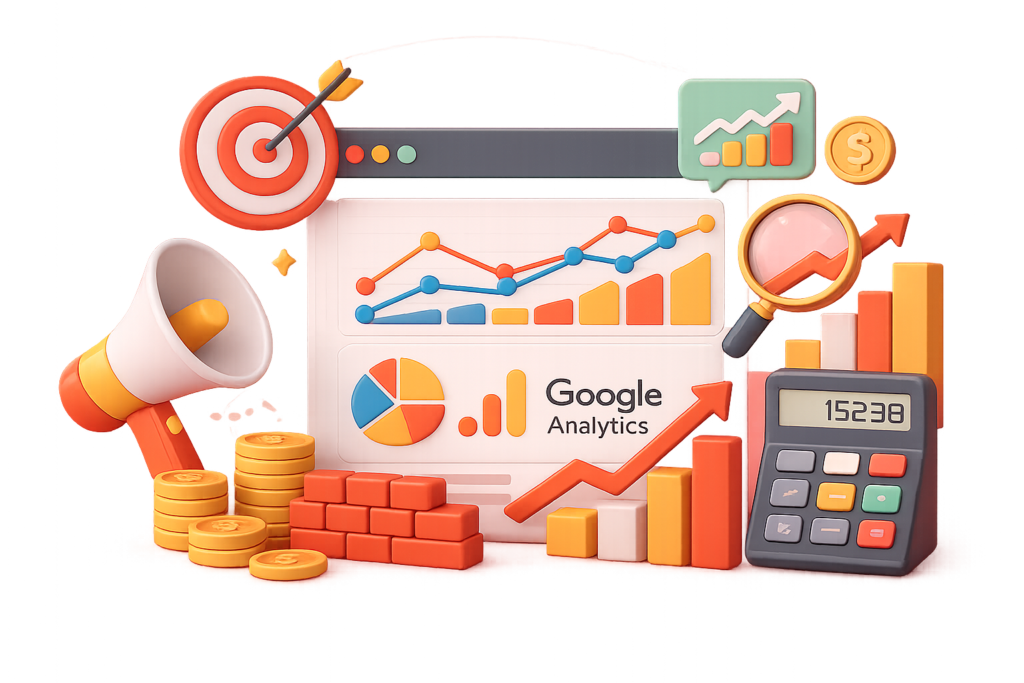
One of the biggest advantages of Google Analytics is its ability to improve return on investment. By tracking campaign performance, businesses can identify which strategies deliver the best results.
For example, you can analyze which channels generate the highest conversions. This allows you to allocate budget more effectively. Instead of wasting resources on underperforming campaigns, you can focus on high-performing ones.
Additionally, Google Analytics provides insights into customer behavior. This helps create targeted campaigns that resonate with your audience. As a result, businesses can achieve higher conversion rates and better ROI.
1. What is Google Analytics used for?
Google Analytics is used to track and analyze website traffic, user behavior, and conversions. It helps businesses make data-driven decisions.
2. Is Google Analytics free?
Yes, Google Analytics offers a free version with powerful features suitable for most businesses.
3. What is the difference between GA4 and Universal Analytics?
GA4 focuses on event-based tracking, while Universal Analytics uses session-based tracking. GA4 also offers advanced insights and better privacy features.
4. How accurate is Google Analytics data?
Google Analytics provides highly accurate data when properly configured. However, factors like ad blockers and cookie restrictions can affect accuracy.
5. Can Google Analytics track conversions?
Yes, it allows you to track conversions such as purchases, form submissions, and other key actions.
6. Do I need technical skills to use Google Analytics?
Basic usage does not require advanced technical skills. However, advanced tracking may require some technical knowledge.
7. How often should I check Google Analytics reports?
It is recommended to review reports regularly, such as weekly or monthly, depending on your business needs.
8. Is Google Analytics important for SEO?
Yes, it provides insights into organic traffic and user behavior, which are essential for improving SEO performance.
Google Analytics is more than just a tracking tool—it is a powerful platform that enables data-driven decision-making. From understanding user behavior to optimizing marketing campaigns, it provides insights that drive real business growth.
When implemented correctly, it helps businesses identify opportunities, improve user experience, and increase conversions. Platforms like Appledew emphasize the importance of analytics in building successful digital strategies.
Ultimately, mastering Google Analytics is essential for any business looking to succeed in the digital landscape. By leveraging its full potential, you can transform data into actionable insights and achieve sustainable growth.
Prompt Text:
You are an expert consultant. Based on the blog post titled “(Google Analytics)”, provide a step-by-step, practical implementation guide. Include tools, best practices, common mistakes to avoid, and advanced tips. Assume the reader wants to implement everything discussed in this article effectively.
Call to Action:
Want our help implementing this? Just reach out to us via our website contact form:
https://appledew.com/contact-us/