
Website design and development combines strategy, UX, responsive design, performance, security, and SEO to create fast, trustworthy websites that attract visitors and support business growth.
A website is no longer just a digital brochure. For many businesses, it is the first place where potential customers evaluate credibility, compare options, learn about an offer, and decide whether to take the next step. A well-planned website therefore needs to do much more than look attractive. It must communicate clearly, load efficiently, work across devices, support accessibility, guide users toward meaningful actions, and provide a technical foundation that search engines can understand.
This is where website design and development becomes a strategic business investment rather than simply a visual project. Design determines how information is presented and how users move through an experience. Development turns those designs into functional pages, interactions, forms, integrations, and technical systems. When these disciplines work together, the result is a website that is easier to use, easier to maintain, and better positioned to support long-term business objectives.
At Appledew, the focus should be on creating digital experiences that connect design decisions with measurable outcomes. That means starting with business goals and audience needs rather than choosing colors or templates first. It also means considering SEO, performance, security, accessibility, analytics, and conversion opportunities from the beginning instead of trying to repair them after launch. Google recommends building websites that are secure, fast, accessible, usable across devices, and understandable to search engines.
A successful website is ultimately a system. Its visual identity, information architecture, content, code, hosting environment, analytics, and maintenance strategy all influence the experience. When these components are planned together, businesses gain a stronger digital foundation that can evolve as their audience, products, and market change.
Website design and development refers to the combined process of planning, designing, building, testing, launching, and maintaining a website. Although the two terms are often used together, they represent different areas of expertise. Website design focuses heavily on visual communication and user experience, while development focuses on functionality, code, integrations, databases, technical behavior, and infrastructure.
Website design includes elements such as page layouts, typography, colors, spacing, navigation, visual hierarchy, imagery, buttons, forms, and responsive behavior. Good design is not simply about making a page attractive. It helps users understand what matters, where to go next, and why an action is worth taking. A professional interface reduces unnecessary friction and makes important information easier to discover.
Development brings that experience to life. Depending on the project, it may involve HTML, CSS, JavaScript, content management systems, server-side programming, databases, APIs, authentication systems, payment gateways, forms, third-party integrations, and custom functionality. A website may be built with a CMS for easier content management or developed as a custom application when the business requires specialized functionality.
The strongest projects do not treat design and development as separate stages that never communicate. Instead, technical considerations influence design decisions from the beginning. For example, an animation may look impressive in a design mockup but create performance problems when implemented poorly. Likewise, a visually minimal navigation system may create usability issues if important pages become difficult to find. Effective website development balances appearance, usability, functionality, performance, accessibility, security, and business objectives.
Google’s Search Essentials also emphasize people-first content, crawlable links, descriptive page elements, and technically accessible content. This means SEO should not be treated as a final checklist. It should be considered while the site’s structure, templates, content, and technical foundation are being created.
A website influences how customers perceive a business before they ever speak with someone from the company. A confusing layout, inconsistent branding, slow page, broken form, or difficult mobile experience can create doubt. On the other hand, a clear and reliable website can make a business appear organized, credible, and prepared to serve its customers.
One important advantage of professional design is clarity. Visitors should quickly understand what the company offers, who it serves, and what they can do next. This requires deliberate information hierarchy. Headlines need to communicate purpose. Supporting copy should answer important questions. Calls to action should be visible without becoming aggressive. Navigation should help visitors explore without forcing them to guess where information is located.
Professional design also supports consistency. A business may have advertisements, social media profiles, email campaigns, search listings, and offline marketing materials. The website often becomes the central destination where these channels send users. Consistent typography, imagery, messaging, terminology, and brand elements help create a coherent experience across those touchpoints.
However, visual quality alone does not guarantee business results. A beautiful website can still fail if it attracts the wrong audience, hides important information, creates poor mobile experiences, or makes conversion unnecessarily difficult. Design should therefore be evaluated against meaningful objectives.
For example, a service company might measure qualified inquiries, while an e-commerce business may prioritize purchases, product engagement, and checkout completion. A professional organization may focus on consultation requests, while a publisher may prioritize engaged readership. The design should support the action that matters most to the business.
This is also where conversion-focused web design becomes important. Instead of asking only, “Does this page look good?” teams should ask:
A design that answers these questions is more valuable than one that merely follows a visual trend.
One of the most expensive website mistakes is beginning with visual design before defining what the website needs to accomplish. A homepage can be designed beautifully while the underlying business requirements remain unclear. When this happens, later changes to navigation, content structure, functionality, or conversion paths can require significant rework.
The planning phase should begin with business objectives. What should the website help accomplish? Is the primary objective lead generation, direct sales, bookings, education, brand building, customer support, recruitment, or a combination of these goals? The answer influences the site’s architecture, content, calls to action, functionality, and measurement strategy.
Next, identify the target audience and their likely needs. Different visitors arrive with different levels of awareness. Someone discovering a company for the first time may need introductory information and trust signals. A returning visitor may already understand the business and want pricing, documentation, or a contact option. Effective architecture accommodates these different user journeys without making the experience complicated.
A useful planning exercise is to map the major user journeys. For example:
Search → Landing Page → Service Information → Proof → Contact
Or:
Product Search → Product Page → Comparison → Cart → Checkout
These journeys help determine which pages deserve the strongest navigation and internal linking.
Information architecture should then be developed around logical relationships between content. A typical business website might include:
The exact structure depends on the business. There is no universal sitemap that every company should copy.
Technical requirements should also be documented during planning. These may include:
Planning these elements early reduces surprises during development.
Google’s developer guidance specifically recommends considering search visibility alongside technical implementation and ensuring websites are secure, fast, accessible, and functional across devices.
Information architecture is the system used to organize pages, content, navigation, categories, and relationships across a website. Visitors rarely think about information architecture directly, but they experience its effects every time they try to find something.
Poor architecture creates unnecessary cognitive effort. Users may open several pages before finding the information they need. Important services may be buried under vague menu labels. Similar topics may be separated unnecessarily. As a result, visitors can abandon the website even when the information technically exists.
Strong architecture begins with clear categories. Navigation labels should describe what users will find rather than relying on clever terminology. For example, “Services,” “Pricing,” “Resources,” and “Contact” are immediately understandable. A creative brand may still use distinctive language elsewhere, but primary navigation usually benefits from clarity.
Page hierarchy also matters for SEO. Search engines use links and page relationships to understand how content is organized. Google recommends making links crawlable so that search systems can discover other pages on the website.
Internal linking can also help users move naturally between related topics. A service page might link to a relevant case study. A blog article might link to a related service page. A product page might link to documentation or support information. These connections should be useful to visitors rather than created simply to insert keywords.
URL structure should be considered at this stage as well. Clear, descriptive URLs are easier for users to understand and can help maintain an organized website structure. Google recommends logical URL organization as part of its crawling and indexing guidance.
A strong architecture should also anticipate growth. A website with five pages today may contain fifty pages in two years. If the original structure cannot accommodate additional services, resources, products, or locations, the business may eventually face an expensive redesign.
Therefore, the goal is not merely to build a sitemap for today’s website. The goal is to create an architecture that can grow without becoming confusing.
A user-centered website begins with the visitor rather than the technology. The objective is to understand what users need to accomplish and then remove unnecessary obstacles between their starting point and their desired outcome.
One of the most effective ways to improve UX is to reduce ambiguity. Every important page should have a clear purpose. The main heading should establish what the page is about. Supporting information should explain the value or answer relevant questions. Navigation should provide logical options. Calls to action should tell visitors what happens next.
Forms are another important part of the user experience. Businesses often ask for more information than they actually need. Long forms can increase friction, especially on mobile devices. If a business only needs a name, email address, and a short message to begin a conversation, requiring ten fields may reduce submissions.
Micro-interactions can improve usability when they provide useful feedback. A button can show a clear hover state. A form can identify validation errors near the relevant field. A successful submission can confirm that the request was received. These small details can make a website feel more predictable.
However, user-centered design does not mean adding more effects. Excessive animation, automatic video, pop-ups, moving elements, and decorative interactions can distract from the primary task. Google advises site owners to consider the overall page experience, including mobile usability, security, Core Web Vitals, and avoiding intrusive elements.
Good UX is therefore often about removing friction rather than adding decoration.
Accessibility should also be part of this process. Text should remain readable. Interactive controls should be understandable. Images that communicate information should have appropriate alternative text. Keyboard users should not be trapped inside interactive elements. Color should not be the only method used to communicate meaning.
A website that works for more people is not only more inclusive; it can also provide a better experience for users operating under different conditions, including small screens, slow connections, temporary disabilities, or unfamiliar environments.
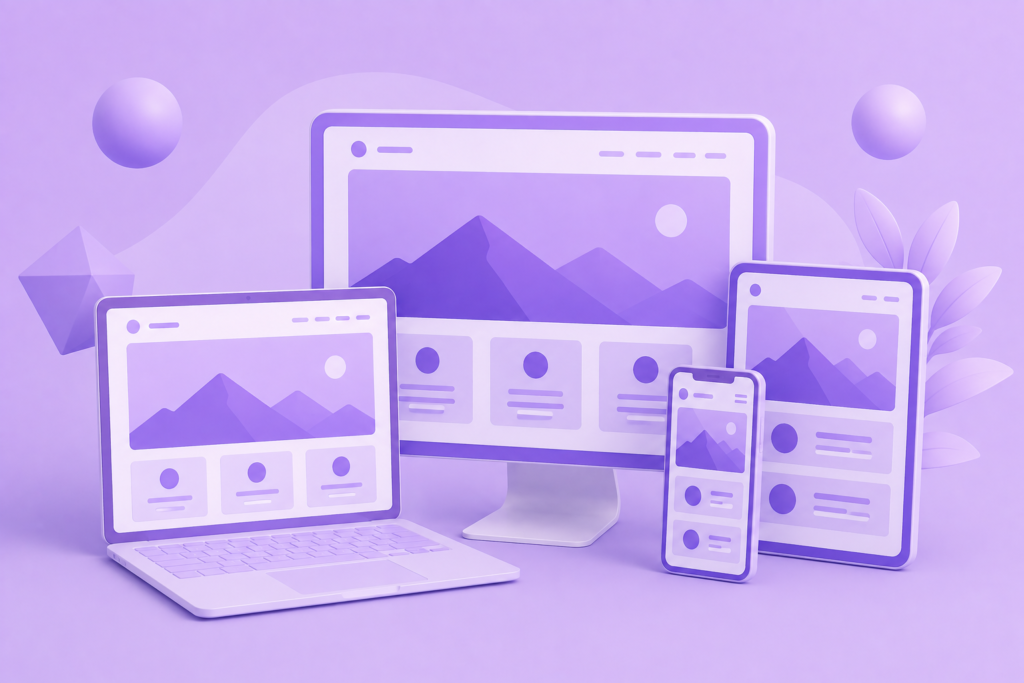
A modern website must adapt to different screen sizes. Responsive web design allows layouts, typography, images, navigation, and interactive components to adjust according to the device and available viewport.
Mobile design should not be treated as simply shrinking the desktop version. A desktop navigation menu with many options may become difficult to use on a phone. A three-column layout may need to become a single-column flow. Large decorative images may need to be reduced or repositioned. Buttons may need adequate touch space. Forms may require different spacing and input behavior.
The content hierarchy should remain consistent even when the layout changes. Users should still be able to find the primary information and complete important actions without excessive scrolling or zooming.
Responsive design also has technical implications. Images should be appropriately sized rather than sending unnecessarily large files to small devices. Fonts should load efficiently. CSS and JavaScript should be managed carefully. Components that are visually hidden should not accidentally hide essential content from users or search engines.
Google’s developer guidance explicitly recommends that websites work across devices, while its page experience guidance highlights mobile usability as part of delivering a strong overall experience.
Testing should therefore cover more than a single phone and laptop. A practical testing process considers different screen widths, operating systems, browsers, input methods, and connection conditions.
Responsive design is ultimately about continuity. A visitor should not feel as though they are using a completely different website simply because they changed devices.
Website performance affects both user experience and the practical usability of a site. A slow page can interrupt research, reduce engagement, and create frustration before a visitor ever reaches the content or conversion point.
Performance should be considered during design and development rather than treated as a final optimization task. Heavy images, excessive animations, large JavaScript bundles, third-party scripts, inefficient fonts, and poorly configured hosting can all contribute to slower experiences.
Google’s Web Vitals initiative focuses on measurable aspects of real-world user experience. The current Core Web Vitals include Largest Contentful Paint (LCP) for loading performance, Interaction to Next Paint (INP) for responsiveness, and Cumulative Layout Shift (CLS) for visual stability. Google’s current guidance identifies recommended thresholds of 2.5 seconds or less for LCP, 200 milliseconds or less for INP, and 0.1 or less for CLS at the 75th percentile.
These measurements are useful because they move the performance discussion away from vague statements such as “the site feels fast.” Instead, teams can identify specific areas for improvement.
For LCP, developers may need to optimize the primary hero image, reduce server response time, preload critical resources where appropriate, or remove unnecessary render-blocking resources. For INP, excessive JavaScript execution and expensive event handlers may need attention. For CLS, images and embedded content should have reserved dimensions so that the page does not unexpectedly move while loading.
Performance improvements can also include:
Google’s documentation also emphasizes that performance, server response time, rendering, and resource loading can affect crawling efficiency.
A fast website is therefore not simply a technical achievement. It is part of creating a dependable experience for real visitors.
SEO-friendly development begins with making a website understandable to both people and search engines. This does not mean filling pages with keywords. Instead, it means creating a logical technical and content structure that makes important information accessible.
Every important page should have a clear purpose, descriptive title, useful content, logical headings, meaningful links, and an appropriate URL. Images should be handled thoughtfully. Search engines should be able to access the content that the business wants discovered.
The technical foundation also includes indexability. A page cannot perform in organic search if search engines cannot properly discover, crawl, render, or index it. Google explains that Search processes websites through crawling, rendering, and indexing, and JavaScript-heavy sites require particular attention to how content is exposed during these processes.
JavaScript can create powerful user experiences, but it should not unnecessarily hide essential content. Developers need to understand what is present in the initial HTML, what requires rendering, and whether critical information is accessible to search systems. Google specifically provides guidance for identifying JavaScript issues that can prevent pages or content from appearing correctly in Search.
Technical SEO also includes:
Google’s Search Essentials identify technical requirements, spam policies, and key best practices that help websites become eligible to appear and perform well in Google Search.
The most important principle is simple: build for users first, then make the experience easy for search engines to understand.
Website security should be considered from the beginning of the development process. It should not be treated as something that is added only after a website has been launched. A security issue can affect customer trust, business operations, search visibility, and sensitive information. Therefore, a professional website design and development strategy should include secure architecture, controlled access, regular updates, backups, secure integrations, and ongoing monitoring.
Developers should follow established security guidance when building websites and applications. The OWASP Top 10 identifies major web application security risks and provides a valuable awareness framework for secure development. Common risks include broken access control, security misconfiguration, software supply chain failures, cryptographic failures, injection, insecure design, and authentication failures. These risks demonstrate why simply installing a security plugin is not enough. Security requires attention throughout planning, development, deployment, and maintenance.
A secure website should also use HTTPS, protect administrator accounts with strong authentication practices, limit user permissions, keep themes and software updated, and remove unused extensions. Regular backups should be stored securely and tested periodically. A backup that cannot actually be restored provides a false sense of security. Privacy should also be addressed carefully. Businesses should understand what data forms, analytics platforms, cookies, and third-party tools collect and ensure that appropriate privacy information is available to users.
Security also depends on the hosting and deployment environment. Sensitive credentials should not be exposed in public code repositories. Development, staging, and production environments should be managed carefully. Logs can help identify unusual activity, while monitoring can alert teams to failures or suspicious changes. Most importantly, organizations should create a repeatable security process instead of relying entirely on one-time checks. The OWASP Top 10:2025 provides current awareness of major application security risks and supports a more structured approach to secure web development.
An accessible website helps more people use and understand its content. Accessibility is not limited to one group of users or one type of device. Visitors may use keyboards, screen readers, voice controls, magnification, touch interfaces, or other assistive technologies. A website designed without considering these needs can create unnecessary barriers.
The Web Content Accessibility Guidelines (WCAG) 2.2 provide internationally recognized recommendations for making web content more accessible. The guidelines address areas such as text alternatives, keyboard accessibility, readable content, navigation, focus behavior, contrast, input assistance, and robust technical implementation. WCAG 2.2 also emphasizes that accessibility can improve general usability for many users, not only people with disabilities.
Accessibility should influence both design and development. Designers should consider readable typography, sufficient contrast, clear labels, visible focus indicators, and interfaces that do not rely only on color. Developers should use semantic HTML where appropriate, create properly labeled form fields, provide meaningful alternative text for informative images, and ensure interactive features can be used without a mouse.
For example, a form error shown only as a red border may not be understandable to every user. A better approach provides a clear text explanation and connects the message to the relevant field. Similarly, a navigation menu should be tested with keyboard controls rather than assuming that a visual design automatically provides accessibility.
Accessibility testing should combine automated tools with human review. Automated systems can identify certain technical issues, but they cannot determine whether every label, interaction, or content decision makes sense in context. The WCAG 2 Overview explains that WCAG contains testable success criteria organized around making web content perceivable, operable, understandable, and robust. These principles provide a strong framework for improving accessibility throughout a website project.
A website can have excellent code and attractive visuals while still underperforming because its content does not answer visitor questions. Content strategy connects business expertise with audience needs. It determines what information belongs on the website, how it should be organized, and how different pages support the user’s decision-making process.
Start by identifying the questions potential customers are likely to ask. These may include what the business offers, who it helps, how the process works, what makes the company different, what results customers can expect, and how to get started. Important questions should not be hidden behind vague marketing language.
Each major page should have a specific purpose. A service page should explain the service clearly. A product page should provide useful decision-making information. An about page should communicate relevant experience and credibility. Resource content should provide genuine education rather than existing only to attract search traffic.
For search visibility, Google recommends creating helpful, reliable, people-first content rather than content designed primarily to manipulate rankings. The Google Search Essentials explain the technical requirements, spam policies, and key best practices for content appearing in Google Search. This reinforces the importance of building pages that provide real value instead of relying on keyword repetition or thin, repetitive content.
A useful content strategy can include:
Internal links should connect genuinely related information. For example, an article about website performance can naturally lead readers toward website development information. The anchor text should describe the destination accurately. This improves navigation and helps users understand what they will find after clicking.
Content should also be reviewed regularly. Services change, products evolve, links break, and older information can become inaccurate. A website should therefore be treated as a living business asset.
A website should make important next steps clear, but effective conversion design does not require aggressive or manipulative tactics. Visitors should understand what will happen when they click a button, submit a form, start a trial, or make a purchase.
A strong conversion path begins with relevance. The page should match the visitor’s likely intent. Someone searching for a specific service should arrive at useful information about that service rather than a generic homepage with unrelated content.
Trust should appear before pressure. Businesses can support decisions with accurate explanations, testimonials, case studies, certifications, clear policies, pricing information where appropriate, and realistic expectations. Claims should be supported rather than exaggerated.
Calls to action should also be specific. Instead of using the same vague button throughout a website, the action can explain the next step more clearly. Examples may include “Request a Consultation,” “View Our Work,” “Get a Project Estimate,” or “Start Your Order.”
Forms should request only information that is genuinely useful at that stage. Requiring excessive details before a user can make contact may increase abandonment. Similarly, pop-ups should be used carefully. A message that blocks the entire page immediately after arrival can interrupt the visitor before they have had an opportunity to evaluate the content.
Conversion optimization should rely on evidence. Businesses can review analytics, form completion data, user behavior, feedback, and controlled experiments where appropriate. Changes should be measured rather than assumed to work because they follow a popular design trend.
The goal is not to force every visitor into one action. The goal is to make the right action easy for the right visitor.
There is no single technology that is correct for every website. The right platform depends on project requirements, budget, functionality, content management needs, scalability, internal skills, and long-term maintenance expectations.
A content management system can be a practical choice for businesses that regularly publish or update pages. However, the quality of the final website still depends on implementation. Installing a CMS does not automatically create a fast, secure, accessible, or SEO-friendly website.
For more specialized requirements, custom development may be appropriate. A business might need advanced user roles, custom dashboards, complex integrations, application logic, or unique workflows that are difficult to manage through standard templates.
The technology decision should therefore begin with requirements, including:
It is also important to avoid unnecessary complexity. A small informational website may not need a large application architecture. Conversely, a complex platform should not be forced into a solution that becomes difficult to maintain.
Before choosing technology, evaluate the long-term ecosystem. Consider documentation, update frequency, security practices, developer availability, extension quality, and migration possibilities. The cheapest solution at launch can become expensive if it creates maintenance problems later.
The best technology is not necessarily the newest or most popular option. It is the option that solves the business problem reliably while remaining maintainable.
A website should never be launched simply because all pages appear complete. Quality assurance is necessary to identify problems that may not be visible during routine development.
Functional testing should confirm that forms submit correctly, emails are delivered, buttons work, navigation reaches the correct pages, search features behave properly, and integrations exchange information as expected. E-commerce websites require additional checks for product information, pricing, payments, account functions, checkout processes, and transactional emails.
Cross-browser and device testing is also essential. A layout may look excellent in one browser but behave differently elsewhere. Test major user journeys on desktop and mobile devices. Check different viewport sizes, touch interactions, keyboard navigation, and realistic connection conditions.
Performance testing should include important pages rather than focusing only on the homepage. Large landing pages, product pages, service pages, and resource pages may each have different performance challenges. The Web Vitals provide a useful framework for understanding loading performance, interaction responsiveness, and visual stability.
SEO quality assurance should verify:
Accessibility should also be tested before launch. Review keyboard navigation, focus states, labels, alternative text, form feedback, and interactive controls against the WCAG 2.2 guidance. Automated tools are useful, but manual testing remains important because context and usability cannot be evaluated entirely through automation.
A launch checklist helps prevent simple mistakes from reaching production. Every critical path should be tested as if you were a real customer.
Website launch day is an important milestone, but it should not be viewed as the end of the project. A successful launch requires preparation before changes go live.
If an existing website is being replaced, URL migration requires particular attention. Important old URLs may have backlinks, bookmarks, and existing search visibility. When content moves to new locations, appropriate redirects should be implemented. Redirect decisions should be mapped carefully rather than sending every removed page to the homepage.
Before launch, teams should verify the production environment, SSL configuration, analytics, forms, integrations, backups, and indexing settings. Development restrictions such as temporary noindex tags must be reviewed carefully.
After launch, monitoring should begin immediately. Check for crawl errors, broken pages, missing analytics data, form delivery problems, unusual performance issues, and unexpected redirects. The Google Search Essentials provide useful guidance on the basic technical requirements and practices that support a site’s eligibility to appear in Google Search.
A staged launch can reduce risk for larger projects. Teams may first deploy to a secure staging environment, complete final testing, back up the existing site, implement production changes, and then complete post-launch verification.
Important post-launch checks include:
A careful launch process protects the investment made in planning and development.
A website requires ongoing attention. Software changes, security risks evolve, business information becomes outdated, and user expectations shift. Maintenance helps keep the website useful after launch.
Technical maintenance may include CMS updates, plugin updates, dependency management, security patches, uptime monitoring, backups, performance reviews, and error monitoring. Updates should ideally be tested before they are applied to a live production environment.
Content maintenance is equally important. Review service pages, team information, contact details, pricing where published, statistics, policies, case studies, and older articles. Remove information that is no longer accurate.
Performance should also be monitored over time. A website can become slower as new scripts, tracking tools, plugins, images, and features are added. Regular audits help teams identify performance regressions before they significantly affect users.
Continuous improvement should be based on evidence. Analytics can reveal where visitors leave important journeys. Search data can reveal which pages receive impressions but low engagement. Customer feedback can identify confusing areas that metrics alone may not explain.
This ongoing approach supports Experience, Expertise, Authoritativeness, and Trustworthiness. Real expertise is demonstrated through accurate information and thoughtful implementation. Experience is reflected in practical decisions based on real user needs. Authoritativeness grows through useful, reliable resources. Trustworthiness is supported by security, transparency, accurate claims, and dependable website behavior.
A strong website is therefore never completely “finished.” It evolves in a controlled and purposeful way.
One of the most common mistakes is designing for personal preference rather than the target audience. A business owner may prefer a particular color, animation, or layout, but the website must primarily help users understand and complete important tasks.
Another major mistake is prioritizing visual effects over performance. Large videos, excessive animations, heavy page builders, and unnecessary scripts can create an impressive first impression while reducing practical usability. A simpler and faster experience is often more effective.
Businesses also frequently treat mobile design as an afterthought. Since users may discover and research businesses on phones, important actions must work well on smaller screens. Forms, navigation, buttons, text, and layouts should all be tested.
Other common mistakes include:
Another serious problem is treating SEO as a collection of shortcuts. Google clearly distinguishes helpful practices from spam policies and manipulative behavior. The Google Search Essentials emphasize technical requirements, spam policies, and key best practices rather than promising that any single tactic guarantees rankings.
Avoiding these mistakes requires planning, testing, and continuous improvement.

A high-quality website should begin with strategy. Define business goals, identify the audience, understand user needs, and map important journeys before designing pages.
Build a clear information architecture. Use logical navigation, descriptive labels, organized page relationships, and useful internal links. Important content should be easy for visitors and search engines to discover.
Design for usability. Maintain strong visual hierarchy, readable typography, clear calls to action, appropriate spacing, and predictable interactions. Avoid decorative elements that interfere with important tasks.
Develop for performance and reliability. Optimize images, control JavaScript, use appropriate caching, reduce unnecessary third-party resources, and monitor real-world performance. Use the principles behind Web Vitals to evaluate loading, responsiveness, and visual stability.
Build accessibility into the project. Follow the current WCAG 2.2 standard as an important technical reference, and test both automatically and manually. Ensure the website remains usable with keyboards and assistive technologies.
Prioritize security throughout the website lifecycle. Follow established guidance such as the OWASP Top 10, keep software updated, control access, secure credentials, maintain backups, and monitor the production environment.
Finally, build for long-term improvement. Use analytics, user feedback, technical monitoring, and content reviews to make informed changes. A website should continue improving as the business and its users evolve.
Website design focuses on the visual and user-experience side of a website. It includes layouts, branding, colors, typography, navigation, visual hierarchy, and interactive design. Website development focuses on the technical implementation that makes those designs function.
Development can include front-end code, back-end systems, databases, APIs, CMS implementation, forms, payment systems, user accounts, and third-party integrations. Both disciplines are important because a visually attractive design must still work reliably, while technically strong functionality should still be understandable and easy to use.
The best results come from combining design and development around the same business and user objectives.
The timeline depends on the size and complexity of the project. A small website with a clear scope may take significantly less time than a large website requiring custom functionality, content migration, integrations, e-commerce, or extensive testing.
Planning is an important part of the timeline. Projects can become delayed when requirements change repeatedly after development begins. Clear objectives, content preparation, timely feedback, and documented functionality help reduce unnecessary revisions.
A realistic timeline should include discovery, planning, design, development, content implementation, testing, launch preparation, and post-launch verification.
No. Custom development is not automatically the best solution. The right choice depends on what the business actually needs.
A well-built CMS website may be highly effective for organizations that need regular content updates. Custom development can be more appropriate for specialized applications, advanced workflows, or unique integrations.
The important question is whether the chosen solution is secure, maintainable, scalable, and appropriate for the required functionality.
Speed affects how quickly users can access information and interact with a website. Slow pages can create frustration and may reduce engagement or conversions.
Performance should be evaluated through real-world user experience rather than only one laboratory score. Google’s Core Web Vitals framework includes metrics related to loading, responsiveness, and visual stability.
Optimizing images, reducing unnecessary scripts, improving server response, and managing third-party resources can all contribute to better website performance.
Responsive design primarily helps ensure that users can access and use the website effectively across different devices. Mobile usability is an important part of overall website quality.
Google recommends websites work well across devices, and technical implementation should make content accessible and understandable to Search. Responsive design also helps businesses maintain a consistent experience rather than creating fragmented versions of the same content.
However, responsive design alone does not guarantee higher rankings. It should be part of a broader strategy that includes useful content, crawlability, technical quality, and strong user experience.
Start with a secure development process. Use HTTPS, strong authentication, appropriate user permissions, secure software configuration, regular updates, backups, and monitoring.
Do not rely on one security tool as a complete solution. Security involves the application, server, hosting environment, credentials, third-party dependencies, and operational processes.
The OWASP Top 10 is a useful high-authority resource for understanding major web application security risks and improving security awareness.
Accessibility is essential because websites should be usable by people with different abilities and technologies. It also often improves the experience for a wider audience.
Important practices include readable text, sufficient contrast, keyboard access, properly labeled forms, meaningful alternative text, clear error messages, and robust HTML structure.
The Web Content Accessibility Guidelines (WCAG) 2.2 provide an internationally recognized framework for web accessibility.
After launch, the website should be monitored and maintained. Check performance, security, forms, analytics, crawl issues, broken links, software updates, and backups.
Content should also be reviewed to ensure it remains accurate. As the business changes, new services, products, resources, and customer needs may require website updates.
The launch is therefore the beginning of the website’s operational life, not the end of improvement.
Effective website design and development is about far more than creating attractive pages. A successful website combines strategic planning, user-centered design, responsive behavior, accessible interfaces, strong performance, secure development, useful content, technical SEO, testing, and continuous maintenance.
The most valuable websites are built around real users and real business objectives. They explain information clearly, make important actions easy, protect user data, perform reliably, and continue improving over time. They also avoid shortcuts such as keyword stuffing, misleading claims, or manipulative conversion tactics.
At Appledew, a thoughtful approach to website design and development can help transform a website from a simple online presence into a dependable digital business asset. By connecting strategy, design, technology, SEO, performance, security, and user experience, businesses can create websites that are better prepared for sustainable growth.
The strongest long-term strategy is simple: build something genuinely useful, technically reliable, easy to use, and worthy of your audience’s trust.
Prompt Text: You are an expert consultant. Based on the blog post titled “Website Design and Development”, provide a step-by-step, practical implementation guide. Include tools, best practices, common mistakes to avoid, and advanced tips. Assume the reader wants to implement everything discussed in this article effectively.
Call to Action: Want our help implementing this? Just reach out to us via our website contact form: https://appledew.com/contact-us/