
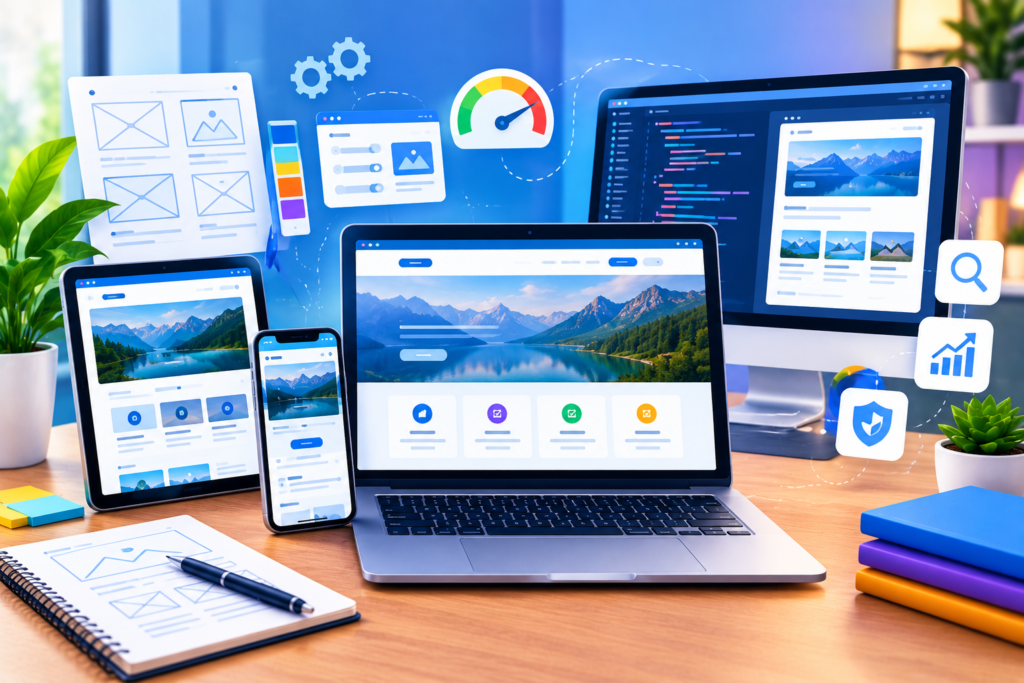
Website Design and Development combines strategy, UX, responsive design, performance, security, and SEO to build websites that attract visitors, establish trust, and support sustainable business growth.
A modern website is much more than a collection of pages placed online. It is a digital environment where potential customers discover a business, evaluate its credibility, compare available options, consume information, and decide whether to take action. Because of this, effective Website Design and Development requires much more than attractive colors, professional images, or technically functional code. A successful website must combine business strategy, user experience, accessibility, performance, security, content, search visibility, and conversion planning into one connected system.
For businesses operating in competitive markets, the website often becomes one of the most important customer touchpoints. Visitors may arrive through organic search, paid advertising, social media, referrals, email campaigns, or direct navigation. Regardless of where they come from, the website must quickly communicate who the business serves, what it offers, why visitors should trust it, and what they should do next. This is why design decisions and development decisions should never be treated as completely separate activities.
Google’s official guidance reinforces this broader approach. Its SEO Starter Guide explains that SEO helps search engines understand content while helping users discover websites through search. Google’s Search Essentials also emphasize technical accessibility, helpful people-first content, crawlable links, and appropriate search best practices.
This guide explains how to approach website design and development from the ground up. It covers planning, information architecture, user experience, responsive design, performance, SEO, security, technology choices, accessibility, content, navigation, testing, launch, and ongoing improvement. The goal is not simply to create a website that looks modern. The goal is to create a website that works for people, supports business objectives, and remains technically strong over time.
Website design and development are closely connected disciplines, but they solve different parts of the same problem. Website design focuses primarily on how a website looks, feels, communicates, and guides users. It includes visual hierarchy, typography, color systems, page layouts, imagery, navigation patterns, interaction design, calls to action, and overall user experience. Website development, on the other hand, turns those concepts into a working digital product through front-end code, back-end systems, databases, integrations, content management systems, APIs, security controls, and technical infrastructure. When these areas work together, the result is a website that is both visually effective and technically reliable.
A professional website should therefore be viewed as a complete system rather than an isolated design project. A beautiful interface can fail if pages load slowly, forms do not work, navigation is confusing, or important content cannot be accessed by search engines. Similarly, technically excellent development can underperform when the interface is difficult to understand or the messaging does not address visitor needs. Effective projects begin by connecting business goals, user needs, content requirements, design decisions, and technical implementation before development begins. This reduces expensive changes later and creates a stronger foundation for long-term growth.
The distinction also matters for SEO. Google’s SEO guide for web developers recommends that websites be secure, fast, accessible, and functional across devices. It also recommends using tools such as URL Inspection and the Rich Results Test to understand how Google sees a website. Therefore, modern website development should not treat SEO as a final checklist added after the design is finished. Instead, search accessibility should influence the site’s architecture, HTML, content structure, internal links, performance, and technical configuration from the beginning.
A website can influence almost every stage of the customer journey. Before someone submits a form, schedules a consultation, requests a quotation, purchases a product, or contacts a company, they often evaluate the business through its online presence. A professional website helps control that first impression. Clear messaging, consistent branding, logical navigation, useful content, strong visuals, and visible trust signals can reduce uncertainty and help visitors understand the business more quickly. In contrast, outdated layouts, broken pages, unclear information, intrusive pop-ups, or slow performance can cause visitors to leave before they ever discover the company’s actual value.
The business impact extends beyond appearance. A strategically designed website can become a central platform for lead generation, sales, customer education, brand positioning, content distribution, recruitment, customer support, and relationship building. For example, a service business may use landing pages and contact forms to generate qualified leads. An e-commerce company may use product pages, filters, reviews, and optimized checkout flows to increase purchases. A professional organization may rely on case studies, resources, and detailed service pages to demonstrate expertise. The correct structure depends on the organization’s goals and audience rather than following a universal design template.
A strong website also creates an infrastructure for other marketing activities. Search optimization becomes more effective when pages are properly structured. Paid advertising becomes more efficient when landing pages provide a relevant experience. Email campaigns become more useful when recipients can easily reach targeted content. Social media traffic becomes more valuable when visitors encounter a trustworthy and conversion-focused destination. This connected approach is one reason modern businesses should think about website design as a business growth system rather than a decorative exercise. The website should support measurable objectives while still providing a useful experience for the people who visit it.
Successful website projects usually begin long before the first visual mockup is created. Planning establishes the purpose of the website, defines its audience, identifies important content, clarifies conversion goals, and creates technical requirements. Without this stage, teams can easily spend time designing pages that do not support business priorities. A planning process should therefore answer practical questions such as: Who will use the website? What problems are visitors trying to solve? What information do they need before taking action? Which pages are essential? What actions should users complete? Which integrations are required? What performance and security standards must the website meet?
Audience research is especially important. A website designed for first-time consumers may need simple explanations and strong reassurance, while a technical B2B audience may expect detailed specifications, documentation, comparisons, case studies, and evidence of expertise. Understanding search intent can also improve the structure of the website. Someone searching for a definition needs different information from someone comparing providers or preparing to make a purchase. Mapping these different needs allows the website to provide appropriate content at different stages of the decision-making process.
Planning should also include measurable objectives. Instead of simply saying that the website should “look better,” define outcomes such as increasing qualified inquiries, improving product discovery, increasing completed purchases, reducing support requests, or improving engagement with important resources. Establish baseline measurements where possible so future performance can be compared. It is also useful to document technical requirements, content ownership, analytics needs, accessibility considerations, third-party integrations, hosting requirements, and maintenance responsibilities. A clear plan turns website development from an open-ended creative project into a structured process with defined outcomes.
Information architecture determines how information is organized and how visitors move through the website. It includes page hierarchy, categories, navigation, URLs, content relationships, labels, and pathways between related resources. A strong information architecture helps visitors find what they need without unnecessary effort. It also helps search engines discover and understand relationships between pages. This is why navigation should be designed around user expectations and content relationships, not simply around what looks attractive in a navigation bar.
Start by identifying the core pages required by the business and audience. A typical website may include a homepage, company information, product or service pages, contact information, resources, FAQs, case studies, and supporting content. However, the correct structure depends on the organization’s needs. Important pages should be accessible through logical navigation and contextual internal links. Related content should be connected naturally so users can move from general information to more specific resources. URLs should also be descriptive and consistent rather than filled with unnecessary parameters or meaningless strings.
Internal linking has an additional SEO benefit. Google’s guidance recommends using relevant links and meaningful anchor text so users and search engines can understand what a linked page contains. This means that phrases such as website performance, responsive web design, or technical SEO can be more useful as contextual links when they accurately describe the destination. However, links should not be inserted merely to increase link counts. Every internal link should have a purpose. If it helps visitors discover useful information or understand the relationship between pages, it is more likely to strengthen the overall website experience.
User experience design focuses on how easily people can understand and use a website. Good UX reduces unnecessary friction. Visitors should be able to identify the purpose of a page, understand the available choices, navigate between important sections, and complete key actions without confusion. This requires more than visual polish. Designers need to consider hierarchy, readability, spacing, navigation, forms, interaction patterns, error states, mobile behavior, accessibility, and the psychological journey from initial attention to decision-making.
A useful starting point is the principle of clarity before decoration. Every important page should communicate its primary purpose quickly. Headlines should explain what the page is about. Supporting copy should provide enough context to help users make decisions. Calls to action should describe what happens next. Visual elements should reinforce the message instead of competing with it. Forms should request only information that is genuinely necessary at that stage. When users encounter unnecessary complexity, they may abandon the journey even when the underlying product or service is strong.
Conversion-focused design also requires understanding that not every visitor is ready to buy immediately. Some people are researching a problem. Others are comparing options. Some are already familiar with the company and need a simple path to action. A strong website can support these different stages with educational content, proof points, FAQs, comparisons, case studies, product information, and direct calls to action. Testing can then reveal where visitors experience friction. Rather than assuming that a particular button color or layout will automatically increase conversions, teams should use analytics, user feedback, usability testing, and controlled experiments where appropriate.
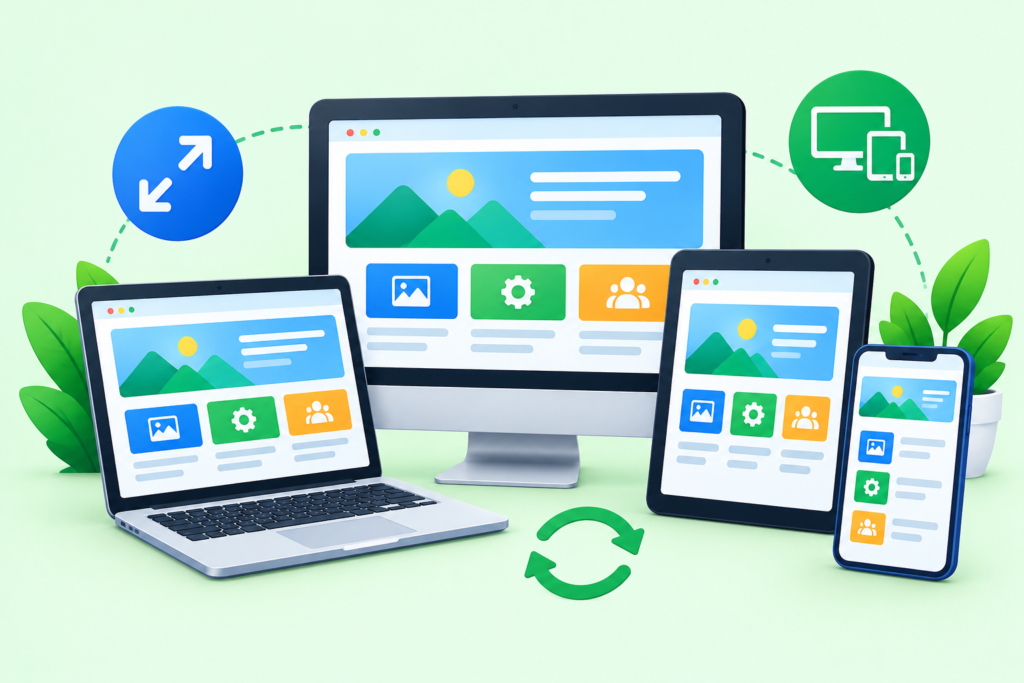
Responsive web design allows a website to adapt its layout and content presentation to different screen sizes. This is essential because users may access the same website through smartphones, tablets, laptops, desktop computers, or other devices. A responsive interface should not simply shrink a desktop layout. It should reorganize content so that navigation, typography, buttons, forms, images, and interactive components remain usable at different viewport sizes.
Mobile usability is also directly connected to search visibility. Google’s mobile-first indexing documentation explains that Google uses the mobile version of a site’s content for indexing and ranking. Google strongly recommends mobile-friendly websites and identifies responsive design as one supported approach. This makes responsive development more than a visual preference. It is an important part of creating a website that works consistently for users and search engines.
Responsive design should therefore be considered throughout the development process rather than tested only at the end. Navigation should be evaluated on smaller screens. Text should remain readable without excessive zooming. Buttons should have enough space for comfortable interaction. Images should scale appropriately without unnecessary downloads. Tables, forms, menus, and complex components may require different layouts on mobile. Developers should also verify that important content, structured data, metadata, links, and functionality remain available across device experiences. A mobile visitor should not receive a significantly reduced version of the website simply because their screen is smaller.
Website performance affects both usability and business outcomes. Visitors generally expect pages to load quickly and respond smoothly to interactions. A slow website can increase frustration, reduce engagement, and create unnecessary barriers before users reach important content. Performance problems can originate from large images, excessive JavaScript, inefficient CSS, slow servers, third-party scripts, poor caching, unnecessary plugins, database queries, or other technical issues. For that reason, performance optimization should begin during architecture and development rather than being treated as a final emergency fix.
Google’s Core Web Vitals provide practical measurements for loading performance, responsiveness, and visual stability. Google currently recommends aiming for Largest Contentful Paint (LCP) within 2.5 seconds, Interaction to Next Paint (INP) below 200 milliseconds, and Cumulative Layout Shift (CLS) below 0.1 for a good user experience. These metrics are useful because they translate abstract ideas such as “fast” and “smooth” into measurable performance signals. However, performance should still be evaluated as part of the broader user experience rather than as a single ranking target.
Improving performance often requires a combination of technical and design decisions. Images should be appropriately sized and efficiently encoded. Unnecessary scripts should be removed or delayed. Fonts should be managed carefully. Browser caching and compression should be configured appropriately. Critical resources should load efficiently, while non-essential resources can be deferred when suitable. Developers should also monitor performance after launch because real-world conditions change as new content, plugins, integrations, and features are introduced. Tools such as PageSpeed Insights and Search Console can help teams identify areas requiring attention. The objective is simple: make important content available quickly, make interactions responsive, and prevent the layout from unexpectedly moving while users interact with the page.
SEO-friendly development begins by ensuring that search engines can access, crawl, understand, and interpret the website. This includes technical accessibility, crawlable links, descriptive page titles, useful metadata, appropriate headings, clean URL structures, canonicalization where necessary, accessible content, image optimization, structured data when relevant, and an architecture that allows important pages to be discovered. Google explains in its Google Search technical requirements that a page generally needs to be accessible to Googlebot, work successfully, and contain indexable content to be eligible for indexing. Meeting these minimum requirements does not guarantee indexing or rankings, but failing them can create avoidable technical barriers.
On-page SEO should also be integrated with the content and design process. Each important page should have a clear purpose and target search intent. Headings should describe the content that follows them. Images should use meaningful alternative text when appropriate. Links should use descriptive wording. Content should answer real user questions rather than being written solely around keyword repetition. Google’s Google Search Essentials recommends helpful, reliable, people-first content and emphasizes using words that people would use to search for the content, including in prominent and descriptive locations such as titles, headings, alt text, and link text.
Technical SEO also extends beyond individual pages. Developers should consider XML sitemaps, robots directives, canonical URLs, redirects, HTTP status codes, JavaScript rendering, structured data, internal linking, duplicate content, indexability, and website migrations. Structured data can provide additional context about eligible content, but it should represent the visible information on the page and should never be treated as a shortcut to rankings. Most importantly, SEO should remain connected to user value. The objective is not to manipulate search engines. It is to create a technically accessible website containing genuinely useful information that search engines can understand and users can trust. That approach aligns much more closely with Google’s people-first guidance and creates a stronger foundation for sustainable organic visibility.
Website security should be considered from the earliest planning stage rather than added after development is complete. A website can contain valuable business information, customer data, account credentials, payment information, forms, APIs, and administrative controls. If these components are poorly protected, attackers may exploit vulnerabilities that can lead to unauthorized access, data loss, malware, service disruption, or reputational damage. Therefore, security is not simply a technical concern for developers. It is an important part of protecting users, business operations, and customer trust.
A secure development process should begin with fundamental controls. Websites should use HTTPS, strong authentication, appropriate authorization rules, secure password handling, regular software updates, reliable backups, access restrictions, and carefully managed third-party integrations. Administrative accounts should use strong credentials and multi-factor authentication where supported. Developers should also avoid exposing unnecessary services, sensitive configuration files, API keys, or database credentials. Security headers, secure cookies, input validation, output encoding, and appropriate session management can provide additional protection depending on the technology stack and application requirements.
For a broader security framework, development teams can review the current OWASP Top 10, which identifies major categories of web application security risks. The current OWASP list includes areas such as broken access control, security misconfiguration, software supply chain failures, cryptographic failures, injection, insecure design, authentication failures, and software or data integrity failures. (owasp.org) Security should also continue after launch. Monitoring, patch management, vulnerability assessments, backup verification, logging, incident response planning, and periodic access reviews help reduce risk as the website evolves. A website is never permanently “finished” from a security perspective because its software, integrations, dependencies, and threat environment can change over time.
Technology selection can significantly influence a website’s flexibility, performance, maintenance requirements, security, and total cost of ownership. There is no single platform that is automatically the best choice for every organization. A small informational website may benefit from a straightforward content management system, while a complex application may require a customized architecture with specialized databases, APIs, authentication systems, and front-end frameworks. The correct decision should be based on actual business requirements rather than choosing technology simply because it is popular.
A content management system can be valuable when non-technical team members need to create, edit, and publish content regularly. However, the CMS should be evaluated carefully. Important considerations include ease of content management, extensibility, hosting requirements, plugin or extension quality, update procedures, security, performance, multilingual capabilities, user permissions, integration options, and long-term maintenance. Adding large numbers of unnecessary plugins can create additional security and performance risks. Similarly, choosing a highly complex development framework for a simple website can increase costs without creating meaningful benefits.
The technology decision should also consider future requirements. Ask whether the website may eventually need customer accounts, e-commerce functionality, booking systems, advanced search, personalization, multilingual content, marketing automation, analytics integrations, or custom APIs. It is often more efficient to choose an architecture that can support realistic future needs without overengineering the initial project. The goal is to create a balanced technical foundation: powerful enough to support business growth, simple enough to maintain, secure enough to protect users, and flexible enough to evolve. A good development team should explain the reasoning behind technology choices instead of simply presenting a platform as the solution.
Accessibility ensures that people with different abilities can understand, navigate, and interact with a website. It should be treated as a fundamental part of quality rather than a feature added at the end of a project. Users may interact with websites using keyboards, screen readers, browser zoom, voice controls, alternative input devices, or other assistive technologies. Others may experience temporary limitations, such as an injured hand, poor lighting, a noisy environment, or a slow internet connection. Designing for accessibility can therefore improve usability for a much broader audience.
Accessible website design includes practical considerations such as readable typography, sufficient contrast, meaningful alternative text, descriptive links, keyboard accessibility, logical heading structures, visible focus indicators, properly labeled form controls, understandable error messages, and appropriate semantic HTML. Interactive components should communicate their purpose and state to users who cannot rely on visual cues alone. Videos may require captions or transcripts when appropriate. Images that convey meaningful information should have suitable alternative text, while purely decorative images can be handled differently depending on their purpose.
Accessibility also benefits search and general usability because many good accessibility practices overlap with sound technical implementation. Semantic HTML can make content easier to interpret. Descriptive link text can help both users and search engines understand destinations. Clear headings make long pages easier to scan. Properly labeled forms reduce errors. However, accessibility should not be reduced to an SEO tactic. Its primary purpose is to create a website that people can actually use. Teams should test important journeys with keyboard navigation, different viewport sizes, assistive technologies where possible, automated accessibility tools, and human review. Building accessibility into design systems and development standards from the beginning is usually more effective than attempting to repair accessibility problems after launch.
Content is one of the most important components of a website because design and technology cannot compensate for information that does not answer visitor needs. A visually impressive website can still perform poorly when its copy is vague, repetitive, outdated, or disconnected from search intent. Effective content strategy begins by identifying what audiences need to know, what questions they ask, what objections prevent action, and what evidence helps establish trust. The resulting content should be organized around real user needs rather than created simply to increase page count.
A strong website typically combines several content types. Core pages explain the business, products, or offerings. Educational articles answer informational questions. Case studies demonstrate practical experience. FAQs address recurring concerns. Guides and resources provide deeper assistance. Testimonials, reviews, credentials, policies, and other trust signals can provide additional evidence where appropriate. Each page should have a clear purpose. Instead of forcing several unrelated topics into one page, create focused resources when doing so genuinely improves understanding and usability.
Content should also demonstrate experience and expertise without making exaggerated claims. Specific examples, original insights, transparent explanations, practical recommendations, and evidence-based information can make content more useful and trustworthy. Google’s guidance on people-first content encourages content created primarily to help people rather than content created mainly to manipulate search rankings. (developers.google.com) This principle should influence the entire website. Keywords can help describe topics and connect pages with search behavior, but they should never replace clarity. The strongest content strategy answers the visitor’s question efficiently, provides enough depth for the decision being made, and gives the reader an obvious next step.
Navigation and internal linking help users discover content while creating meaningful relationships between pages. A website should make important information easy to reach from relevant starting points. The main navigation usually handles high-level sections, while contextual links connect related topics within page content. Footer links can support secondary navigation, legal information, or important resources. Breadcrumbs can also help users understand their position within a site’s hierarchy, particularly on websites with multiple levels of content.
Effective internal linking begins with relevance. A page discussing website performance may naturally link to resources about Core Web Vitals, image optimization, caching, or technical testing. A page about e-commerce may connect readers to product discovery, checkout optimization, payment security, and conversion analytics. The anchor text should accurately describe the destination. Google’s link best practices recommend using descriptive link text so users and search engines can understand what the linked page is about. This makes phrases such as website security, responsive web design, or content strategy more useful when those exact topics are the destination.
Internal linking should never become excessive or artificial. Adding dozens of unrelated links can make pages harder to read and can weaken the usefulness of navigation. Instead, review the website from the visitor’s perspective. Ask whether a link helps answer the current question, provides useful background, supports the next decision, or directs the visitor toward an appropriate action. Website owners should also periodically check for broken links, redirect chains, orphan pages, and outdated navigation. A well-maintained internal linking structure can make a website easier to explore, improve content discovery, strengthen topical relationships, and provide a more coherent journey from the first page a visitor sees to the action the business wants them to take.
Testing is the stage where assumptions are challenged before real users encounter problems. A website may appear complete while still containing broken links, layout problems, missing metadata, inaccessible forms, inconsistent responsive behavior, JavaScript errors, slow pages, incorrect redirects, or security weaknesses. Comprehensive testing should therefore cover both technical functionality and real user journeys. The objective is not simply to confirm that individual pages load. It is to verify that the entire website works as a connected system.
Functional testing should cover navigation, buttons, forms, searches, filters, account functions, checkout processes, integrations, media, downloads, error messages, and other important interactions. Responsive testing should evaluate common screen sizes and orientations. Browser testing can reveal differences between rendering environments. Accessibility testing should check keyboard navigation, focus behavior, form labels, headings, alternative text, contrast, and other relevant areas. SEO testing should verify page titles, descriptions, canonical URLs, indexability, XML sitemaps, robots directives, structured data, status codes, internal links, and important content.
Performance and security testing should also happen before launch. Use performance measurement tools to identify slow resources and unnecessary requests. Test forms and integrations for unexpected failures. Review permissions so administrative features are not exposed to unauthorized users. Confirm that HTTPS is correctly configured and that sensitive information is not accidentally displayed. Verify backups and recovery procedures where applicable. Google’s developer documentation recommends using tools such as URL Inspection and the Rich Results Test to help evaluate how Google processes pages and structured data. The final stage should include a realistic pre-launch checklist followed by testing on production-like infrastructure. Catching a problem before launch is usually far less costly than discovering it after marketing campaigns, customers, and search crawlers are already interacting with the website.
Launching a website is not the end of website design and development. It is the beginning of an ongoing improvement cycle. Before launch, teams should verify the production environment, domain configuration, SSL certificate, analytics implementation, tracking, redirects, forms, integrations, backups, performance, accessibility, and search engine settings. Important pages should be checked manually rather than relying entirely on automated tools. A staged launch or controlled deployment can also reduce risk for larger websites where a technical problem could affect revenue or customer access.
Search visibility should be monitored after launch. Check indexing status, crawl issues, search performance, structured data warnings, broken pages, and unexpected traffic changes. Analytics should be configured to measure meaningful business outcomes rather than collecting large amounts of data without a clear purpose. Useful measurements may include qualified leads, purchases, form completion rates, engagement with important resources, conversion rates, landing-page performance, and returning visitors. Performance should also be monitored because real users may experience conditions that are not visible in a developer’s local environment.
Long-term maintenance is equally important. Software and dependencies require updates. Security controls need ongoing review. Content becomes outdated. Links break. Business priorities change. New devices and browsers appear. Search engines update their systems. Customer behavior evolves. A maintenance plan should therefore include security updates, backups, performance monitoring, content reviews, technical audits, accessibility checks, analytics reviews, and conversion improvements. Website owners should avoid making changes based only on assumptions. Instead, use evidence from analytics, user feedback, search performance, support requests, and testing. A successful website is not a static asset that is built once and forgotten. It is a living digital platform that becomes more useful when teams consistently measure, learn, improve, and maintain it.
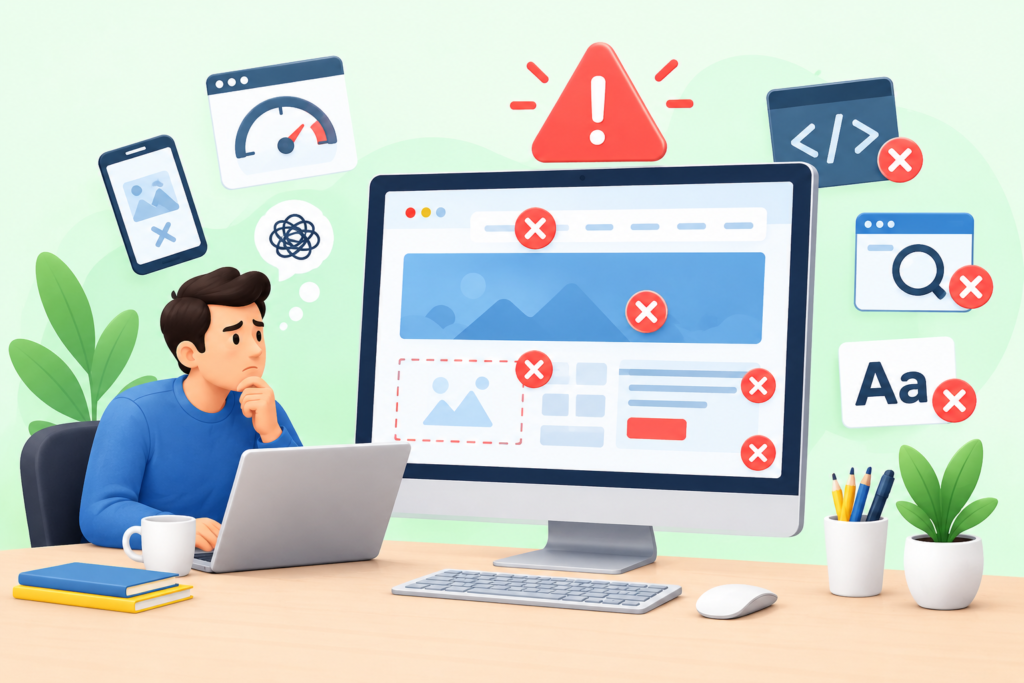
One of the most common mistakes is beginning with visual design before establishing clear objectives. When a project starts with colors, animations, and page layouts without first defining audiences and business goals, the final website may look polished but fail to solve the right problems. Another frequent issue is unclear messaging. Visitors should not have to spend significant time determining what a company does, who it serves, or what action they should take. Strong websites prioritize clarity and make important information easy to discover.
Technical shortcuts can create another group of problems. Excessive plugins, unoptimized images, unnecessary JavaScript, outdated software, poor hosting configuration, and poorly implemented third-party scripts can damage performance. Security can also suffer when websites use unsupported software or give too many people administrative access. Ignoring mobile users is another serious mistake because mobile access is central to modern browsing and Google’s mobile-first indexing system. A website that works well only on a desktop computer is not providing a complete modern experience.
SEO mistakes can be equally damaging. Keyword stuffing, automatically generated low-value pages, hidden content, misleading metadata, manipulative links, and irrelevant internal links do not create sustainable search visibility. A better approach is to follow Google’s SEO Starter Guide, build useful content, create descriptive page structures, and make the site technically accessible. Teams should also avoid treating SEO as a one-time task. Search visibility depends on technical health, content quality, user experience, authority, and continued maintenance. Finally, businesses should avoid launching without testing. A broken contact form or incorrect redirect can have a much greater business impact than a small visual imperfection. Quality assurance should be treated as part of development, not as an optional final step.
Website design focuses on the visual and experiential side of a website, including layout, typography, navigation, interaction patterns, branding, content presentation, and user experience. Website development focuses on building the functional system behind that design. Development may involve HTML, CSS, JavaScript, server-side programming, databases, APIs, CMS platforms, authentication, integrations, and security controls. In a professional project, the two disciplines work together rather than operating independently.
The timeline depends on the website’s size, functionality, content requirements, design complexity, integrations, approval process, and technical architecture. A small informational website can be considerably faster to build than a large e-commerce platform or custom web application. Delays often occur when content, branding materials, technical requirements, or approvals are not prepared in advance. A detailed project plan can make the timeline more predictable.
Yes. Users access websites through many different screen sizes, and a modern website should provide a usable experience across those environments. Responsive design allows layouts and components to adapt to different viewports. It also aligns with Google’s mobile-first indexing approach, making mobile usability an important consideration for both visitors and search visibility.
Website performance contributes to the overall page experience and can influence how users interact with a site. Google uses Core Web Vitals as measurable indicators of loading performance, responsiveness, and visual stability. However, good performance alone does not guarantee strong rankings. A successful website must combine technical quality with useful content, relevance, accessibility, crawlability, and other search fundamentals.
There is no universally correct CMS. The right choice depends on content requirements, team capabilities, budget, security needs, integrations, scalability, performance expectations, and future functionality. Businesses should evaluate how easily content can be managed, how updates are handled, what extensions are available, and how much technical maintenance the platform requires.
There is no single update schedule for every website. Security updates should be applied according to the software and risk involved, while content should be reviewed whenever information becomes outdated or business priorities change. Performance, accessibility, analytics, links, and technical SEO should also be monitored regularly. A website maintenance schedule helps prevent small issues from becoming larger problems.
Trust is built through clear information, accurate claims, transparent business details, professional presentation, secure interactions, accessible policies, useful content, genuine evidence of expertise, and a consistent user experience. Testimonials, case studies, reviews, author information, credentials, contact information, and clear explanations can provide useful trust signals when they are authentic and relevant.
SEO should begin during planning and development rather than being postponed until launch. Information architecture, URLs, navigation, page templates, performance, mobile behavior, structured data, internal linking, and content structure can all affect search accessibility. Integrating SEO early reduces the need for expensive technical changes later and creates a stronger foundation for organic growth.
The strongest approach to website design and development starts with strategy before implementation. Define the audience, business goals, conversion objectives, content requirements, technical needs, and success measurements before designing pages. Build an information architecture that makes important content easy to find. Create clear navigation and meaningful internal links. Design interfaces around usability rather than decoration. Make the experience responsive from the beginning, not as a final adjustment.
Performance should be treated as an ongoing quality standard. Optimize images, scripts, fonts, caching, server responses, and page resources. Monitor Core Web Vitals and real-world performance. At the same time, create an SEO-friendly technical foundation with crawlable links, descriptive URLs, useful titles, appropriate headings, accessible content, correct indexability controls, and structured data when it genuinely applies. Search optimization should support people rather than manipulate them or search engines.
Security and accessibility should also be integrated throughout the project. Follow established security principles, maintain software, restrict access, protect sensitive information, and review the OWASP Top 10 when evaluating web application risks. Build accessible interfaces with semantic HTML, keyboard support, readable content, clear forms, and appropriate alternative text. Finally, test everything before launch and maintain the website after launch. Review analytics, search visibility, security, content, performance, and user behavior regularly. The best website is not simply the one that launches successfully; it is the one that continues to provide value, remain secure, perform efficiently, and improve as user needs and business objectives evolve.
Website design and development is a multidisciplinary process that combines business strategy, user experience, visual communication, technical implementation, search optimization, security, accessibility, performance, content, and continuous improvement. A successful website should not merely look professional. It should make information easy to understand, provide smooth interactions, support meaningful business goals, and create a trustworthy experience for every visitor.
The most reliable approach is to build quality into every stage. Start with research and planning. Create a logical information architecture. Design for clarity and usability. Build responsive interfaces. Optimize performance. Develop with SEO and accessibility in mind. Protect the website with strong security practices. Test important user journeys before launch. Then continue monitoring and improving the website based on real evidence rather than assumptions.
For businesses that want a website capable of supporting long-term digital growth, Appledew provides a practical path toward building and improving a professional online presence. A strong website should work as an active business asset—helping attract visitors, communicate value, establish credibility, generate opportunities, and support customers throughout their journey.
The most important lesson is simple: good website design attracts attention, but good website design and development creates lasting value.
Prompt Text: You are an expert consultant. Based on the blog post titled “(Website Design and Development)”, provide a step-by-step, practical implementation guide. Include tools, best practices, common mistakes to avoid, and advanced tips. Assume the reader wants to implement everything discussed in this article effectively.
CTA: Want our help implementing this? Just reach out to us via our website contact form.